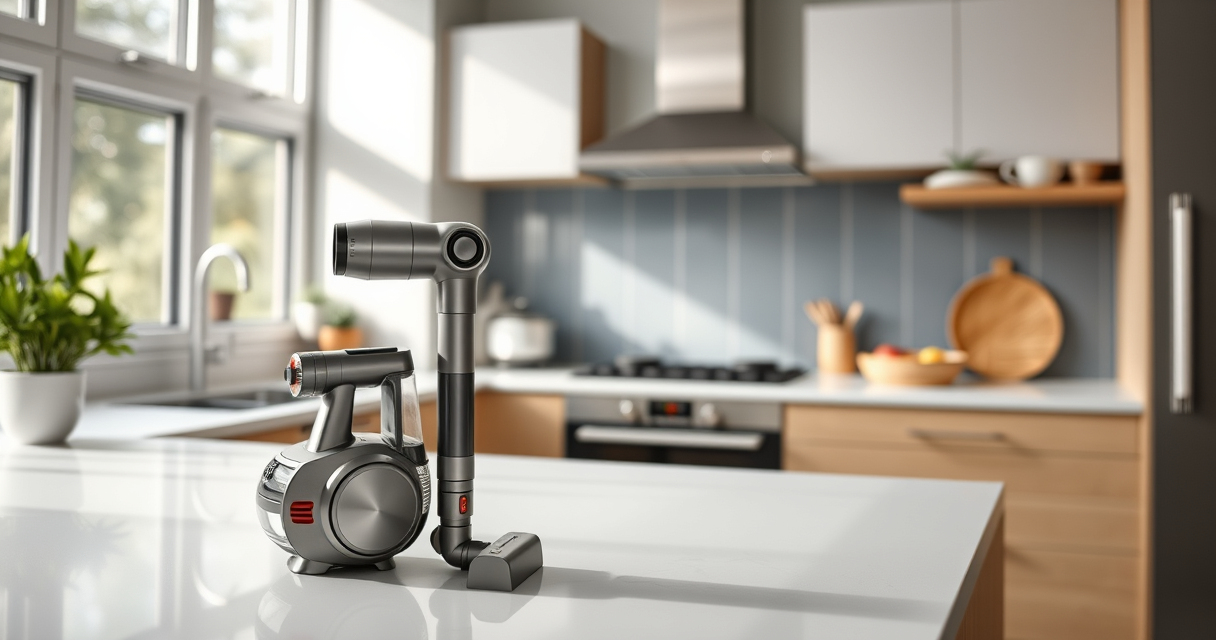
If your Dyson V15 Detect™ Origin Cordless Vacuum keeps pulsing on and off during use, it can be frustrating and hinder your cleaning. This pulsing often indicates an issue with the vacuum’s airflow, filters, or sensors. Fortunately, most problems are fixable with some simple troubleshooting steps. In this guide, you’ll learn how to identify and resolve the common causes of pulsing to restore your vacuum to optimal performance.
Always ensure safety when working with your vacuum. Turn off and unplug the device before inspecting or cleaning any parts.
Key Takeaways
| Airflow obstruction | Clogged filters or blockages cause pulsing. |
| Dirty filters | Filters need regular cleaning or replacement. |
| Sensor issues | Sensors may be dirty or misaligned. |
| Battery or motor problems | Power issues can trigger pulsing. |

Dyson V15 Detect™ Origin Cordless Vacuum
Powerful and intelligent for whole-home deep cleaning. Reveals invisible dust.
As an affiliate, we earn on qualifying purchases.
Check and Clean the Filters
- Remove the vacuum’s pre-filters and main filter from the device.
- Rinse the filters thoroughly with water, avoiding harsh detergents.
- Allow the filters to air dry completely, ideally 24 hours, before reinstalling.
- Replace filters if they appear damaged or excessively worn.

LANMU Crevice Tool Vacuum Attachments Compatible with Dyson V15 V12 V11 V10 V9 V8 V7 Gen5 Outsize Vacuum Cleaner, Narrow Nozzel Replacement Parts for Hard-to-Reach Space
Wide Compatibility: This crevice tool attachment is compatible with V15 V12 V11 V10 V9 V8 V7 Gen5 G5...
As an affiliate, we earn on qualifying purchases.
Inspect for Blockages
- Examine the wand, hose, and cleaner head for any debris or obstructions.
- Clear out any visible blockages carefully to ensure unobstructed airflow.
- Check the brush bar and remove tangled hair or debris that could impede performance.
Check Sensor and Connection Areas
Wipe the sensors located near the filters and other connection points with a soft, dry cloth to remove dust or dirt that could interfere with sensor readings.
Ensure all components are securely connected and properly seated.
Test Battery and Power
Make sure the vacuum is fully charged. If pulsing persists, try resetting the vacuum or reconnecting the battery if possible.
If the vacuum has been used extensively, consider replacing the battery or contacting Dyson support for further diagnostics.
Final Checks and Reassembly
Reassemble all parts securely. Turn on the vacuum and test if the pulsing issue persists.
If all steps fail, contact Dyson customer support for professional assistance.
The Products in This Guide

Dyson V15 Detect™ Origin Cordless Vacuum
- ✔ Weight: 6.8 lbs
- ✔ Battery Type: Li-ion
- ✔ Charging Time: 3.5 hours

LANMU Crevice Tool Vacuum Attachments Compatible
- ✔ Length: 15 inches
- ✔ Weight: 0.5 lbs
- ✔ Attachment Type: Crevice nozzle
Dyson V15 Detect™ Origin Cordless Vacuum
The Dyson V15 Detect™ Origin is a powerful cordless vacuum designed for whole-home cleaning. It features intelligent detection, a high-capacity battery, and advanced cleaning heads, making it a top choice for pet owners and deep cleaning enthusiasts alike.
Pros:
- Powerful suction
- Smart sensor technology
- Long battery life
- Versatile cleaning heads
Cons:
- Premium price
- Heavier than some models
- Filters require regular maintenance
Best for: Deep cleaning homes with pets or heavy debris
Not ideal for: Light, quick cleanups or budget-conscious buyers
Bottom line: A high-performance vacuum suited for thorough, intelligent cleaning.
LANMU Crevice Tool Vacuum Attachments Compatible
The LANMU Crevice Tool Vacuum Attachments are compatible with Dyson models including the V15. They are slim, flexible, and perfect for cleaning tight spaces and corners in your home or car, making your vacuum more versatile.
Pros:
- Narrow nozzle for tight spaces
- Flexible and easy to maneuver
- Compatible with multiple Dyson models
- Durable build
Cons:
- Additional attachment to store
- May require adjustment for secure fit
- Not for heavy debris
Best for: Cleaning corners, edges, and hard-to-reach areas
Not ideal for: Large debris or deep carpet cleaning
Bottom line: A helpful accessory to improve your Dyson’s reach and cleaning precision.
Frequently Asked Questions
Why does my Dyson vacuum pulse on and off?
This typically indicates airflow restriction, a dirty filter, or sensor interference. Troubleshooting cleaning filters, checking for blockages, and ensuring proper sensor contact usually resolves the issue.
How often should I clean or replace filters?
Filters should be rinsed every 1-3 months depending on usage. Replace filters if they appear damaged or overly worn. The Dyson V15 uses washable filters, but some models may have replaceable parts.
Can I fix the pulsing problem myself?
Yes, most issues like clogged filters, blockages, or sensor dirt can be fixed with basic cleaning. If problems persist after troubleshooting, contact Dyson support for assistance.
Is it safe to clean the filters with water?
Yes, Dyson recommends rinsing washable filters with water. Make sure they are completely dry before reinstalling to prevent damage or mold growth.
Keep Your Dyson V15 Syncing Smoothly
Regular maintenance and mindful inspections can prevent pulsing issues and extend your vacuum’s lifespan. Following these troubleshooting steps will help you keep your Dyson V15 Detect™ Origin performing at its best, ensuring deep, efficient cleaning every time.
Affiliate disclosure: As an Amazon Associate we earn from qualifying purchases. Prices and availability are accurate as of the time of publishing.