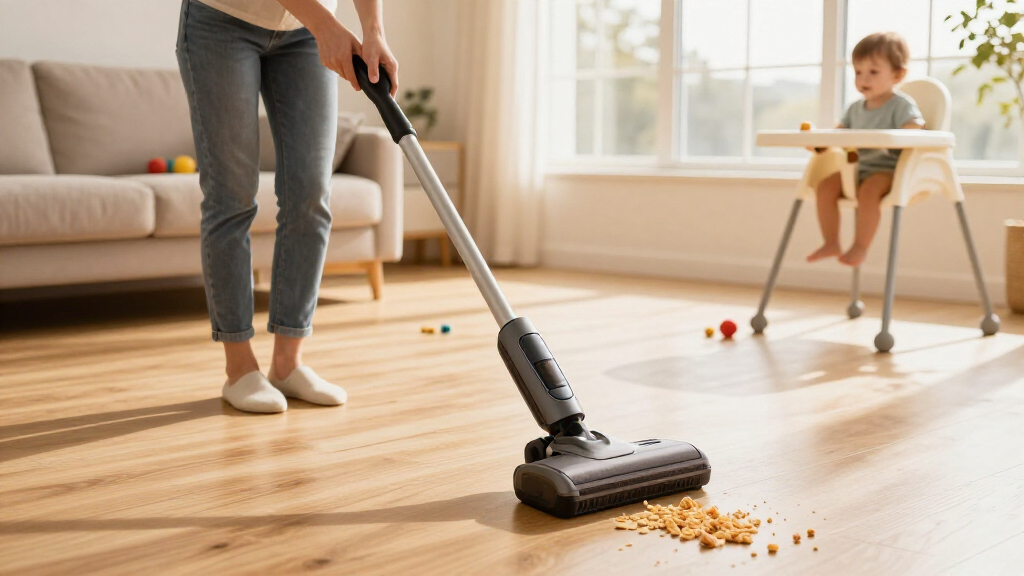
This guide shows you how to use a cordless stick vacuum cleaner correctly, from unboxing and charging through everyday cleaning, emptying the dustbin, and keeping the machine running well over time. By the end, you will be able to clean hard floors and rugs quickly, switch attachments for different jobs, and perform the basic care that keeps suction strong and batteries healthy.

Get cleaning gear delivered free — and shop member deals
- Fast, free delivery on millions of items
- Access to Prime Big Deal Days deals on October 6–7
- Prime Video, Amazon Music and more included

Bissell PowerClean DualBrush 280W Self-Standing Vacuum (4196K)
- ✔ Power: 280W
- ✔ Runtime: Up to 50 minutes (low mode), 13 minutes (turbo)
- ✔ Battery: Removable
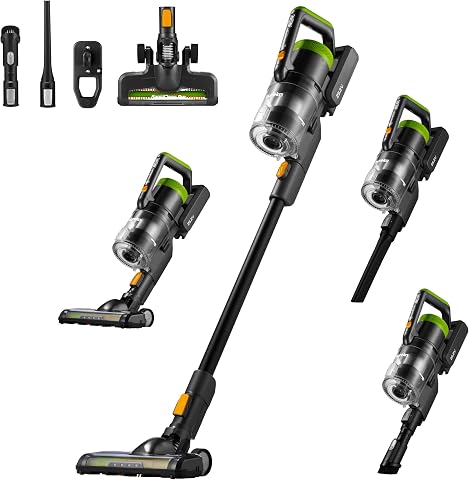
Eureka RapidClean Pro Lightweight Cordless Stick Vacuum (NEC285GR)
- ✔ Weight: 5.3 lbs
- ✔ Motor: 250W brushless digital motor
- ✔ Runtime: 40 minutes (15 minutes in High Mode)

Shark Pet Cordless Stick Vacuum IX141, Grey
- ✔ Type: Cordless stick with removable handheld
- ✔ Runtime: Up to 40 minutes (handheld mode, standard setting)
- ✔ Suction: HyperVelocity accelerated suction
This guide is written for beginners and anyone who has recently bought a cordless stick vacuum or is not getting good results from one they already own. No technical skill is needed. Expect a typical cleaning session to take 15 to 30 minutes depending on home size, and about 10 minutes a week for maintenance.
Difficulty: Beginner | Time: 15-30 minutes per cleaning session; 10 minutes weekly for maintenance
What You’ll Need
Tools & Materials:
- A cordless stick vacuum cleaner with charger and included attachments
- Access to a power outlet for charging
- A trash bin or bag for emptying the dustbin
- A damp cloth for wiping the dustbin and filter housing
Knowledge:
- Basic ability to identify the vacuum’s power button, dustbin release, and attachment points
- Awareness of your floor types (hard floor, carpet, rug) so you can select the right suction mode
Read the quick-start card or manual that came with your model before the first use. Button locations, dustbin release mechanisms, and filter types vary between brands, and using the wrong removal method can crack plastic clips. Keep the manual nearby during your first session.
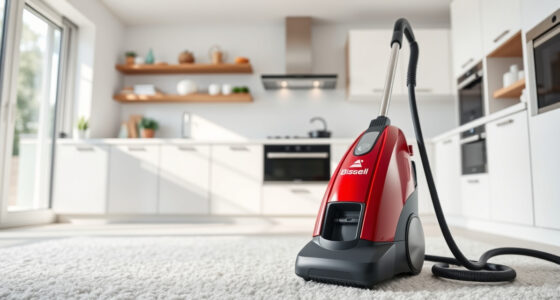
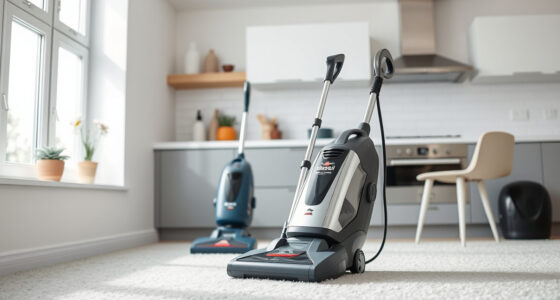
Bissell PowerClean DualBrush 280W Self-Standing Vacuum (4196K)
The Bissell PowerClean DualBrush sits at the top of our list because it solves the problem most cordless stick vacuums stumble on: picking up both fine, embedded dirt and large debris in a single pass. Its dual brush rolls work in tandem — one loosening ground-in particles and pet hair, the other hugging the floor to capture chunkier items like dog kibble. Compared with the Eureka RapidClean Pro, which relies on a single rotatable brush head, the Bissell simply covers more debris types without requiring repeated passes.Its standout feature is AutoAdapt Technology, which boosts suction by up to 75% only when dirt is detected. This matters more than it sounds: rather than running at maximum power constantly and draining the battery, the vacuum intelligently allocates energy, helping it reach its 50-minute runtime claim — the longest of the three models here. That said, turbo mode cuts runtime to just 13 minutes, so deep-cleaning a fully carpeted home in one session is unrealistic.Pet owners will appreciate the FurFinder Upholstery Tool and FurFinder Headlights, which together deliver up to 95% pet hair pickup — a more targeted pet-hair toolkit than the Shark IX141’s Pet Multi-Tool, though the Shark counters with its handheld conversion. The removable battery is a genuine long-term advantage: unlike the Shark, you can swap in a spare or replace it when capacity fades. The self-standing design is convenient for mid-clean pauses, though it does mean the vacuum needs a dedicated footprint rather than hanging flat in a closet.
Pros:
- Dual brush rolls capture both large debris and fine, embedded dirt in one pass
- Up to 50 minutes of runtime with a removable, replaceable battery
- AutoAdapt Technology boosts suction 75% only when needed, preserving battery life
- FurFinder upholstery tool and headlights deliver up to 95% pet hair pickup
Cons:
- Turbo mode runtime drops to just 13 minutes
- Self-standing design takes up more storage floor space than wall-mounted or flat-storing rivals
Best for: Households with mixed flooring and pets who want strong all-around debris pickup and the longest runtime of the group.
Not ideal for: Buyers with heavily carpeted homes who need sustained turbo-mode power, or those with very tight storage spaces.
Bottom line: The most complete package here — intelligent suction, dual brush rolls, and pet-specific tools make it the safest choice for most homes.
“The most complete package here — intelligent suction, dual brush rolls, and pet-specific tools make it the safest choice for most homes.”
Eureka RapidClean Pro Lightweight Cordless Stick Vacuum (NEC285GR)
The Eureka RapidClean Pro earns the Best Value slot by delivering the features that matter most — a 250W brushless motor, three power modes, and a 5-stage filtration system — in a package that undercuts more feature-laden rivals on complexity without cutting cleaning fundamentals. Its brushless motor generates 240% more suction than its predecessor, and in practice that puts it in legitimate competition with the Bissell for everyday hard-floor and area-rug cleaning, even if it lacks the dual brush roll advantage for large debris.Where the Eureka pulls ahead of both competitors is maneuverability. At just 5.3 lbs, it is noticeably easier to carry upstairs, lift onto upholstery, or push under furniture — helped by a 180° rotatable floor brush and an LED headlight that reveals hidden dust beneath beds and sofas. The Bissell’s self-standing frame and the Shark’s bulkier handheld conversion simply cannot match this level of agility for quick daily tidy-ups.The tradeoffs are real, though. The 0.6-liter dust cup is the smallest of the three, which means frequent emptying if you have shedding pets, and the 4-hour recharge time is the slowest here. High mode also trims runtime to 15 minutes. Still, the washable 5-stage filter keeps maintenance costs near zero, and the 78 dB noise level is manageable for homes with noise-sensitive pets or napping children.
Pros:
- Featherlight 5.3 lb body ideal for stairs, overhead cleaning, and quick daily passes
- 250W brushless motor with 240% more suction than the previous generation
- 5-stage filtration with a washable filter keeps maintenance costs minimal
- 180° rotatable brush and LED headlight excel at under-furniture cleaning
Cons:
- Small 0.6-liter dust cup requires frequent emptying
- High Mode runtime drops to 15 minutes with a 4-hour recharge
Best for: Apartment dwellers and anyone prioritizing a lightweight, low-maintenance vacuum for hard floors, quick cleanups, and car interiors.
Not ideal for: Larger homes with heavy pet shedding, where the small dust cup and limited high-mode runtime become frustrating.
Bottom line: The smart pick for lighter households — you give up some capacity and turbo endurance, but gain the most agile cleaner in the lineup.
“The smart pick for lighter households — you give up some capacity and turbo endurance, but gain the most agile cleaner in the lineup.”
Shark Pet Cordless Stick Vacuum IX141, Grey
The Shark Pet IX141 occupies a distinct niche in this lineup: it is the only model that converts into a true handheld vacuum. That transformation changes how you use it — stairs, upholstery, car seats, and ceiling corners all become fair game without a separate device. The Bissell and Eureka both offer accessory tools, but neither collapses into a genuinely standalone handheld, which gives the Shark a real advantage for above-floor cleaning.Its other signature strength is hygiene. The CleanTouch Dirt Ejector lets you empty the XL dust cup hands-free with one touch — no reaching into a dusty bin, which is a meaningfully cleaner experience than the standard cup-and-latch systems on the Eureka. Paired with the Pet Multi-Tool and crevice tool, the Shark handles pet-hair detail work well, though its HyperVelocity suction is less precisely specified than the Bissell’s 280W output or the Eureka’s 250W motor, making direct power comparisons harder.The honest caveat: Shark’s 40-minute runtime figure is measured in handheld mode at the standard setting, so expect shorter floor-cleaning sessions in practice. And unlike the Bissell, there is no removable or replacement battery, so when the cell degrades, the vacuum’s effective lifespan shortens. The freestanding storage and low-profile design are thoughtful touches, but buyers choosing between this and the Bissell should ask which matters more: handheld versatility or dual-brush floor power. If your cleaning is heavily above-floor, the Shark is the easy call.
Pros:
- Converts to a lightweight handheld for stairs, furniture, and vehicles
- Hands-free CleanTouch Dirt Ejector keeps emptying hygienic
- XL dust cup reduces emptying frequency compared with the Eureka’s 0.6L bin
- Pet Multi-Tool and LED headlights target pet hair effectively
Cons:
- 40-minute runtime is measured in handheld mode; floor cleaning runs shorter
- No removable or replacement battery option mentioned
- Suction output is not numerically specified, making power comparisons difficult
Best for: Pet owners who need one device for both floors and above-floor cleaning — stairs, furniture, and car interiors included.
Not ideal for: Buyers who need guaranteed long floor-cleaning runtime or a replaceable battery for years of heavy use.
Bottom line: The most versatile of the three — unbeatable for above-floor pet messes, provided you accept the runtime asterisk.
“The most versatile of the three — unbeatable for above-floor pet messes, provided you accept the runtime asterisk.”
As an Amazon Associate we earn from qualifying purchases.
Before You Start
Charge the battery fully before first use. Most cordless stick vacuums ship partially charged. Plug the charger into the vacuum or the wall dock and wait until the indicator light shows a full charge, often a solid light or a change from blinking to steady. This can take 3 to 5 hours. Charging fully before the first use helps the battery gauge report runtime accurately.
Clear the floor of large debris before you start. Cordless stick vacuums handle dust, crumbs, and pet hair well but can jam on items like socks, hair ties, string, fruit stickers, and large food pieces. Picking these up first prevents clogs and strain on the motor. Also check that the dustbin is empty and seated firmly in place.
Step-by-Step Instructions
Step 1: Charge the vacuum fully and mount the attachments you need
Place the vacuum on its charging dock or plug the charging cable directly into the battery or handle. Wait for the indicator light to show a full charge. Once charged, attach the floor head to the wand by sliding or clicking it into place until you hear or feel a click. If you plan to clean furniture or car interiors instead, attach the crevice tool or upholstery brush to the wand, or attach it directly to the handheld unit for short-reach jobs.
Tip: Some models let you charge the battery separately from the vacuum. If yours does, charging a spare battery off the unit means you always have a second one ready for larger homes.
Check: The power button illuminates when pressed, and the floor head or tool is firmly attached with no wobble.
Step 2: Select the correct suction mode for your floor
Press the mode button to cycle between Eco/Low, Medium/Mid, and Boost/Max mode, or use the trigger if your model uses a press-and-hold design. Use Eco or Medium on hard floors and light rugs; reserve Boost for embedded dirt in carpet, pet hair, or stubborn debris. Boost drains the battery several times faster than Eco, so use it in short bursts.
Tip: If your vacuum has an auto mode, use it. It senses floor type and dirt load and adjusts suction automatically, which gives the best balance of cleaning power and runtime.
Check: The display or indicator lights show the mode you selected, and you can hear the motor speed change.
Step 3: Vacuum the floor in slow, overlapping passes
Hold the vacuum at a comfortable angle and push the floor head forward and back in slow passes. Overlap each pass by about a third of the floor head’s width so you do not leave uncleaned strips. Move slowly on carpet, because suction needs time to pull embedded dirt out of the pile. Work from the far corner of the room toward the exit so you do not walk over cleaned areas.
Tip: On very plush or high-pile carpet, if the head is hard to push, reduce the suction mode or open the suction relief valve if your model has one. Some floor heads also have a brush roll on/off switch — turn the brush off on delicate hard floors if it scatters debris.
Check: The dustbin is visibly collecting debris, the floor looks free of visible crumbs and hair, and the vacuum moves smoothly without the head sticking to the floor.
Step 4: Use attachments for edges, corners, and furniture
Detach the floor head by pressing the wand release button and click on the crevice tool for baseboards, corners, and between cushions. Switch to the upholstery or mini motorized tool for stairs, pet beds, curtains, and car seats. Work top-down: clean shelves and upholstery before floors so falling dust gets picked up afterward.
Tip: The mini motorized brush is the most effective tool for pet hair on fabric. Clean hair off its brush roll after each use by hand or with scissors, because wrapped hair reduces its effectiveness quickly.
Check: Corners and edges show no visible dust lines, and attachment changes click in and pull off without forcing.
Step 5: Empty the dustbin before it passes the max fill line
Turn the vacuum off and hold the dustbin over a trash bag or bin. Press the dustbin release button to detach it, then press the bottom-release latch to open the base and let the contents drop out. Tap the bin gently to dislodge stuck debris. Close the base until it clicks and reattach the dustbin to the vacuum. Empty the bin when it reaches the fill line, or after every full-home clean, whichever comes first.
Tip: Empty the bin outdoors if possible. Fine dust puffs out when the base opens, and opening it inside a trash bag reduces the cloud. Do not wash the bin unless your manual says it is washable, and always let it dry completely before reinstalling.
Check: The dustbin is empty, the base hatch is fully latched, and the vacuum powers on normally with no error light.
Step 6: Clean the filters on a regular schedule
Remove the filter or filters according to your manual, usually by twisting the cyclone assembly or opening a cover behind the dustbin. Tap the filter gently over a trash bin to release dust. If your model’s filters are washable, rinse them under cold water only, with no soap, and let them air dry for a full 24 hours before reinstalling. Most manufacturers recommend rinsing washable filters monthly and replacing them every 6 to 12 months.
Tip: Never reinstall a damp filter. Trapped moisture damages the motor and causes mildew smells. Set a reminder to wash filters on the same day each month.
Check: Filters are free of caked dust, fully dry if washed, and seated firmly so no air leaks around them.
Step 7: Clear hair and debris from the brush roll
Lay the vacuum flat or prop it securely, and inspect the floor head’s brush roll. Slide the hair and string off the ends, or cut wrapped hair lengthwise with scissors and pull it free. Some floor heads have a removable cover or end caps you can open for easier access. Do this whenever you notice hair wrapped around the brush or every few weeks with regular use.
Tip: A brush roll choked with hair forces the motor to work harder, which shortens runtime and triggers some models to shut off. A two-minute trim prevents this.
Check: The brush bristles are visible along the full length of the roll, and the roll spins freely when you turn the vacuum on.
Step 8: Return the vacuum to its dock for storage and charging
Click the vacuum into its wall dock or freestanding stand so it charges between uses. Store attached tools in the dock’s holders if it has them. Avoid storing the vacuum in unheated garages or sheds, because cold temperatures degrade lithium-ion batteries.
Tip: If you will not use the vacuum for several weeks, store it with roughly half a charge rather than fully empty or fully full. This extends battery life.
Check: The dock’s charging light turns on, confirming contact between the charger and the vacuum.
Common Mistakes to Avoid
- Running the vacuum in Boost mode for an entire cleaning session. — Use Eco or Auto mode as your default and press Boost only for stubborn spots. Boost can cut runtime from 40-60 minutes down to 10-15 minutes, leaving the job half-finished.
- Letting the dustbin fill past the max line before emptying. — Empty the bin after every full cleaning session. An overfilled bin blocks airflow, weakens suction, and forces fine dust through the filters.
- Reinstalling a washable filter while it is still damp. — Wash filters at least 24 hours before you plan to vacuum, or keep a spare dry filter so one is always ready.
- Pulling the vacuum hard when the floor head sticks to carpet. — Lower the suction mode instead of forcing the vacuum. Suction seal on thick carpet is normal; fighting it strains the wand joints and motor.
Troubleshooting
Problem: Suction feels weak or the vacuum picks up almost nothing.
Solution: Check three things in order: an overfilled dustbin, a clogged filter, and a blockage in the wand or floor head. Empty the bin, tap out or wash the filter, and shine a flashlight through the wand to spot trapped debris. Clear blockages with a long, blunt object like a broom handle.
Problem: The vacuum shuts off after only a few minutes of use.
Solution: This is usually a battery or blockage issue. Check whether an indicator light flashes an error code, then inspect the brush roll and wand for clogs. If nothing is blocked, the battery may be too hot or cold — let it return to room temperature before recharging. A battery near the end of its lifespan also causes short runtime; replacement batteries are available for most models.
Problem: The brush roll stops spinning or makes a grinding noise.
Solution: Turn the vacuum off and remove hair, string, or debris wrapped around the brush roll and its end caps. If the roll still will not spin after cleaning, check that the floor head is clicked fully onto the wand, because a loose connection cuts power to the motorized head.
Problem: The vacuum will not charge or the charging light does not come on.
Solution: Confirm the outlet works by plugging in another device. Clean the metal charging contacts on both the vacuum and dock with a dry cloth, because dust on the contacts breaks the connection. Reseat the vacuum on the dock until you feel it click and the light activates.
What Success Looks Like
You have completed the task correctly when: the vacuum runs for its expected runtime in your chosen mode; your floors show no visible crumbs, hair, or dust trails after a session; the dustbin empties cleanly through its bottom hatch; the brush roll spins freely with no wrapped hair; the filters are clean, dry, and seated; and the dock light comes on when you store the vacuum. If you can complete a full-home clean on a single charge without the vacuum dying mid-session, your routine is working.
Next Steps
Build a cleaning rhythm: quick daily passes of high-traffic areas in Eco mode take only a few minutes and keep dirt from accumulating. Set monthly reminders to wash filters and check the brush roll. Replace filters every 6 to 12 months and the battery every 2 to 4 years, or sooner if runtime drops sharply. If your model offers a battery-saving storage mode or app-based battery health reports, enable them. When runtime falls below half of the original figure even after filter and brush maintenance, order a replacement battery rather than the whole vacuum — it is usually the only component that has worn out.
Frequently Asked Questions
How long does a cordless stick vacuum run on one charge?
Typical runtime is 30 to 60 minutes in Eco mode, 20 to 30 minutes in medium mode, and 10 to 15 minutes in Boost mode. Actual runtime depends on floor type, suction mode, and whether a motorized attachment is in use. Runtime decreases over the battery’s lifespan.
Can a cordless stick vacuum replace a full-size vacuum?
For hard floors and low-pile rugs in small to medium homes, yes for daily use. Homes with thick carpet or heavy pet shedding usually still benefit from a corded or upright vacuum for a weekly deep clean, using the stick vacuum for in-between touch-ups.
How often should I empty the dustbin and clean the filter?
Empty the dustbin after every cleaning session or whenever it reaches the fill line. Tap out non-washable filters weekly and rinse washable filters monthly. Replace filters every 6 to 12 months depending on use.
Is it bad to leave the vacuum on the charger all the time?
Most modern models have charge-management circuitry that stops charging at full, so leaving them docked is fine for regular use. If you will store the vacuum unused for weeks or months, remove it from the charger and store it with roughly half a charge in a moderate temperature.
Why does my vacuum spit debris back out on hard floors?
This usually means the brush roll is spinning too fast for loose debris, the bin is overfilled, or the intake is partially blocked. Empty the bin, check for clogs, and switch the brush roll off or reduce suction mode when cleaning loose debris on bare floors.
Fall Picks
fall essentials
As an affiliate, we earn on qualifying purchases.