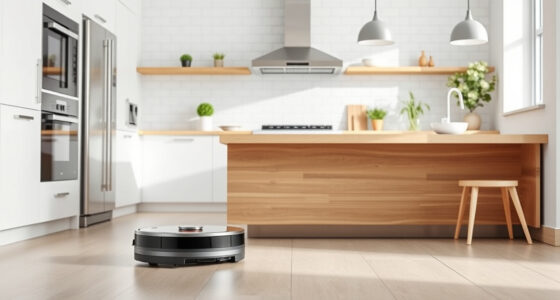
To maximize your robot vacuum’s cleaning and battery life, set a smart schedule that targets high-traffic areas during off-peak times, avoiding unnecessary runs. Customize routines based on past cleaning patterns, and focus more frequent cleaning where needed. Monitor the battery health, prevent overcharging, and plan sessions when the battery holds a good charge. With proper timing and management, you’ll keep your device cleaner and extend its lifespan—discover more tips and tricks as you explore further.

Get cleaning gear delivered free — and shop member deals
- Fast, free delivery on millions of items
- Access to Prime Big Deal Days deals on October 6–7
- Prime Video, Amazon Music and more included
Key Takeaways
- Schedule cleaning during off-peak hours to prevent interference and conserve energy.
- Customize routines to prioritize high-traffic areas and optimize coverage.
- Use adaptive algorithms that analyze cleaning patterns for smarter future runs.
- Monitor battery health and plan sessions around optimal charge levels to extend lifespan.
- Integrate scheduling with battery management to reduce unnecessary recharging and improve efficiency.

Optimizing your robot vacuum can markedly improve its cleaning efficiency and extend its lifespan. One of the most effective ways to do this is by fine-tuning its scheduling algorithms and battery management systems. Scheduling algorithms determine when and where your vacuum cleans, so setting them up properly ensures thorough coverage without wasting energy or time. By customizing cleaning times, you prevent your robot from running when it’s unnecessary, like during busy hours when you’re home, or when rooms are already clean. Many models allow you to set specific schedules, so you can program your vacuum to operate during off-peak times, maximizing efficiency and reducing wear and tear on the device.
Proper scheduling maximizes efficiency and prolongs your robot vacuum’s lifespan.
In addition, modern robot vacuums often include smart scheduling algorithms that adapt based on your routines. These algorithms analyze past cleaning patterns to optimize future runs, ensuring high-traffic areas are cleaned more frequently while less-used spaces receive less attention. This intelligent scheduling not only boosts overall cleanliness but also conserves battery life, since the vacuum isn’t wasting power on areas that don’t need frequent cleaning. This adaptive feature can significantly enhance cleaning efficiency and help you customize your cleaning routine further. When you leverage these algorithms effectively, you’re making the most of your vacuum’s capabilities, minimizing unnecessary runs, and extending its operational lifespan.
Battery management plays a critical role in maintaining your robot vacuum’s performance. A well-managed battery prevents premature degradation, ensuring your device remains reliable over time. Most robot vacuums come equipped with built-in sensors and software that monitor battery health and charge levels. To enhance battery life, it’s essential to keep the charging cycles balanced—avoiding overcharging or letting the battery drain completely on a regular basis. Some models automatically pause cleaning when the battery reaches a certain low level, returning to the dock to recharge before resuming cleaning. This smart battery management prevents deep discharges that can harm the battery and reduces the frequency of full charges, which can slow down battery aging.
Additionally, keeping the charging contacts clean and ensuring the docking station is in a stable, accessible location helps maintain consistent charging. When your robot vacuum uses its scheduling algorithms in tandem with efficient battery management, it works more effectively. It can plan cleaning sessions during ideal times, when the battery is sufficiently charged and ready, and avoid unnecessary recharging cycles. By taking control of these systems, you prolong the lifespan of your vacuum, reduce downtime, and keep it performing at peak efficiency. Proper scheduling and battery management aren’t just about convenience—they’re key to getting the most out of your investment, ensuring your robot vacuum cleans thoroughly while conserving power and extending its overall longevity.
As an affiliate, we earn on qualifying purchases.
Frequently Asked Questions
How Often Should I Clean the Robot Vacuum’s Brushes and Filters?
You should clean your robot vacuum’s brushes and filters at least once a week, following a regular maintenance schedule. During cleaning, remove hair, dust, and debris to keep the brushes spinning freely and filters working effectively. Increase cleaning frequency if you have pets or high foot traffic. Regular maintenance guarantees ideal cleaning performance and extends your vacuum’s battery life, making sure it runs smoothly and effectively every time.
Can Robot Vacuums Adapt to Different Flooring Types Automatically?
Yes, your robot vacuum acts like a skilled chameleon, seamlessly adjusting to different flooring types. Thanks to advanced floor detection, it automatically adjusts its suction power and brush height, ensuring every surface gets the perfect clean. This smart adaptation keeps your floors pristine without you lifting a finger. With automatic adjustment, your vacuum becomes a versatile cleaner, effortlessly switching from carpets to hardwoods, giving you more time to enjoy your spotless home.
What’s the Best Way to Store a Robot Vacuum Long-Term?
To store your robot vacuum long-term, you should keep it in a cool, dry storage environment, away from direct sunlight and extreme temperatures. Before storing, perform battery maintenance by fully charging it, then disconnect or turn it off to prevent battery drain. Regularly check the vacuum during extended storage to guarantee it remains in good condition, and keep the brushes and filters clean for peak performance when you use it again.
Do Robot Vacuums Work Well on Thick Carpets or Rugs?
Yes, robot vacuums can handle thick carpets and rugs well if they’re designed for it. Look for models with strong suction and brush rolls suited for thick carpet cleaning. Regular rug maintenance, like clearing loose fibers, helps your vacuum work efficiently. Keep your robot’s brushes clean and check for any blockages to guarantee peak performance. With the right features, your robot vacuum will keep thick carpets spotless effortlessly.
How Can I Prevent My Robot Vacuum From Getting Stuck?
To prevent your robot vacuum from getting stuck, make certain obstacle detection features are active and up-to-date. Regularly clear clutter and cords from its path. You can also improve navigation algorithms by mapping your home and setting no-go zones. Keep sensors clean and check for firmware updates. These steps help your vacuum navigate smoothly, avoid obstacles, and prevent it from getting stuck, ensuring a more efficient cleaning process.
As an affiliate, we earn on qualifying purchases.
Conclusion
By applying these optimization tips, you’ll transform your robot vacuum into a relentless cleaning hero, extending its battery life and boosting efficiency. Think of your vacuum as a trusty sidekick, ready to conquer messes with unwavering dedication. With smarter scheduling, regular maintenance, and strategic placement, you hold the power to make your cleaning routine effortless and effective. Remember, a well-optimized robot isn’t just a device; it’s your secret weapon for a spotless home.
As an affiliate, we earn on qualifying purchases.
As an affiliate, we earn on qualifying purchases.
Fall Picks
fall essentials
As an affiliate, we earn on qualifying purchases.