
Maintaining your Dyson V15 Detect™ Origin Cordless Vacuum ensures optimal performance and longevity. Proper care involves regular cleaning, filter replacements, and troubleshooting common issues. This guide provides clear, safe, and effective steps to keep your vacuum at its best.

Get cleaning gear delivered free with Prime
- Fast, free delivery on millions of items
- Prime Video, Amazon Music and more included
- Member-only deals all year
Whether you’re a new user or experienced, following these maintenance routines will help you maximize your vacuum’s power, suction, and lifespan.
Key Takeaways
| Regular Filter Cleaning | Keep filters clean for optimal suction and airflow. |
| Routine Brush and Nozzle Checks | Remove hair and debris to prevent blockages. |
| Battery and Power Troubleshooting | Address power issues with simple steps. |
| Replacing Wear Parts | Use genuine filters and parts for best results. |
| Safe Disassembly Tips | Always unplug before maintenance to avoid injury. |
Cleaning and Replacing Filters
- Remove the vacuum from charging and ensure it is off.
- Locate the filter compartment typically at the cyclone unit.
- Twist or pull out the old filters carefully, following the user manual for your model.
- Rinse the filters under cold water until clear, avoiding soap or detergents.
- Allow filters to air dry completely (at least 24 hours) before reinserting.
- Reinstall the filters securely and ensure they are properly seated.
Clearing Blockages and Maintaining Nozzles
- Detach the cleaner head and check for debris or tangled hair in the brush bar and nozzles.
- Use the included crevice tool to remove dust from tight spots.
- Clear any obstructions from the wand or tube by gently pushing out debris.
- Reassemble all parts carefully, ensuring no loose connections.
Battery and Power Troubleshooting
- Ensure the vacuum is fully charged; connect to a compatible outlet.
- Check LCD screen for maintenance alerts or low battery warnings.
- If power is inconsistent, reset the vacuum by turning it off, removing the battery if possible, then reinserting it after a minute.
- Ensure the power trigger is pressed fully when in use.
Replacing Wear Parts and Accessories
Use genuine filters and attachments to ensure compatibility and performance. Regularly replace filters (every 2-3 months) and check for damaged parts. Attach new accessories like crevice tools or cleaner heads as needed to maintain cleaning efficiency.
Safety Tips and Precautions
- Always turn off and unplug the vacuum before maintenance.
- Allow filters and parts to dry thoroughly before reassembling.
- Do not use harsh chemicals or submerge electrical components in water.
- Handle filters and parts gently to avoid damage.
The Products in This Guide

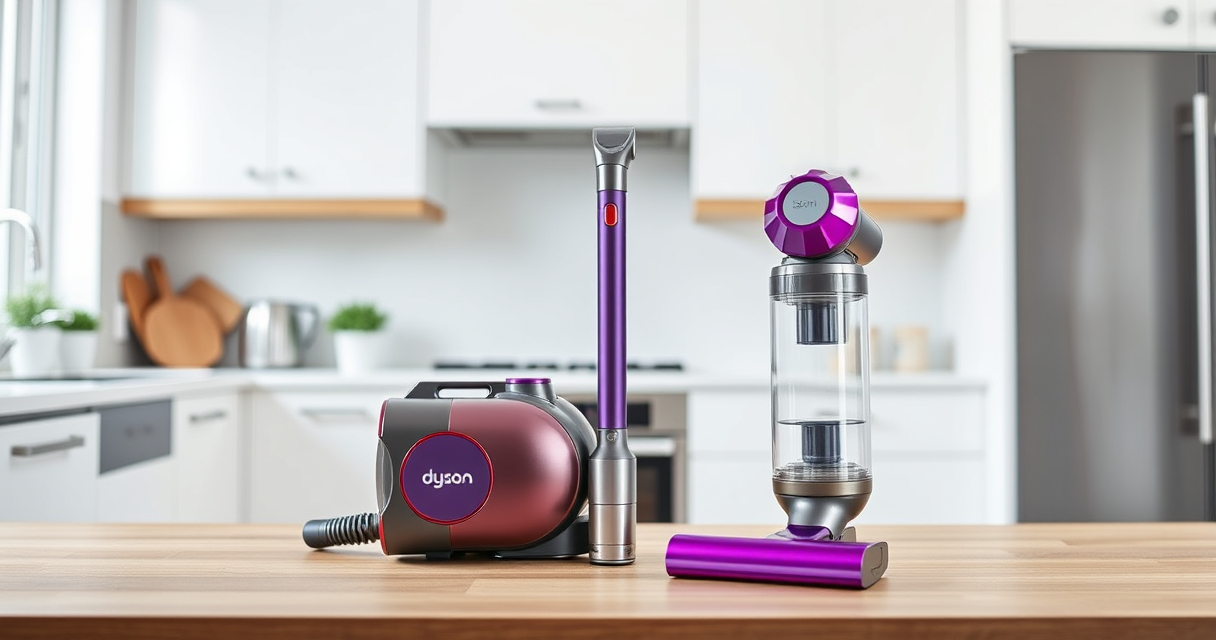
Dyson V15 Detect™ Origin Cordless Vacuum
- ✔ Filter Type: Pre & HEPA
- ✔ Charge Time: 3.5 hours
- ✔ Warranty: 2 years

LANMU Crevice Tool Vacuum Attachments Compatible
- ✔ Nozzle Width: Approx. 1 inch
- ✔ Compatibility Notes: Check model fit before purchase
- ✔ Material: Plastic composite
Dyson V15 Detect™ Origin Cordless Vacuum
The Dyson V15 Detect™ Origin offers powerful suction, intelligent debris detection, and advanced cleaning heads, making it ideal for deep whole-home cleaning. Regular maintenance ensures it continues to perform at its best.
Pros:
- Powerful suction with 100% more power
- Intelligent debris detection
- Long 60-minute runtime
- LCD screen with real-time alerts
Cons:
- Requires regular filter cleaning
- Can be heavy for some users
- Filters need periodic replacement
Best for: Homeowners seeking deep, efficient cleaning with smart features
Not ideal for: Users preferring lightweight, minimal-maintenance vacuums
Bottom line: Keep your Dyson V15 in top shape with regular cleaning and part replacements.
LANMU Crevice Tool Vacuum Attachments Compatible
The LANMU Crevice Tool offers a narrow, flexible design to access hard-to-reach spots, making it a valuable addition for detailed cleaning around edges, corners, and in vehicles.
Pros:
- Narrow, flexible nozzle
- Compatible with many Dyson models
- Easy to maneuver
- Effective for tight spaces
Cons:
- Requires attachment fitting
- Additional weight on extension
- May not fit older Dyson models
Best for: Detail cleaning in tight spots and vehicles
Not ideal for: General cleaning without specific crevice needs
Bottom line: Great for detailed cleaning and hard-to-reach areas.
Frequently Asked Questions
How often should I replace the filters on my Dyson V15?
It is recommended to replace or wash filters every 2-3 months for optimal performance.
Can I clean the filters with soap?
No, it is best to rinse filters with cold water only and let them dry completely before reinstalling.
What should I do if my vacuum loses suction?
Check and clean the filters, nozzles, and brush bars for debris, and replace filters if necessary.
Is it safe to disassemble the vacuum for maintenance?
Yes, but always unplug the device and handle parts carefully to avoid damage or injury.
Keep Your Dyson V15 Performing at Its Best
Regular maintenance of your Dyson V15 Detect™ Origin Cordless Vacuum is essential for maintaining its powerful cleaning capabilities. By following these simple steps for filter cleaning, nozzle checks, and troubleshooting, you can ensure your vacuum remains efficient and reliable for years to come.
Remember to use genuine parts and handle all components with care for safe and effective upkeep. With proper care, your Dyson will continue to deliver outstanding results every time you vacuum.
Affiliate disclosure: As an Amazon Associate we earn from qualifying purchases. Prices and availability are accurate as of the time of publishing.
Columbus Day / Indigenous Peoples' Day Picks
long weekend sales
As an affiliate, we earn on qualifying purchases.