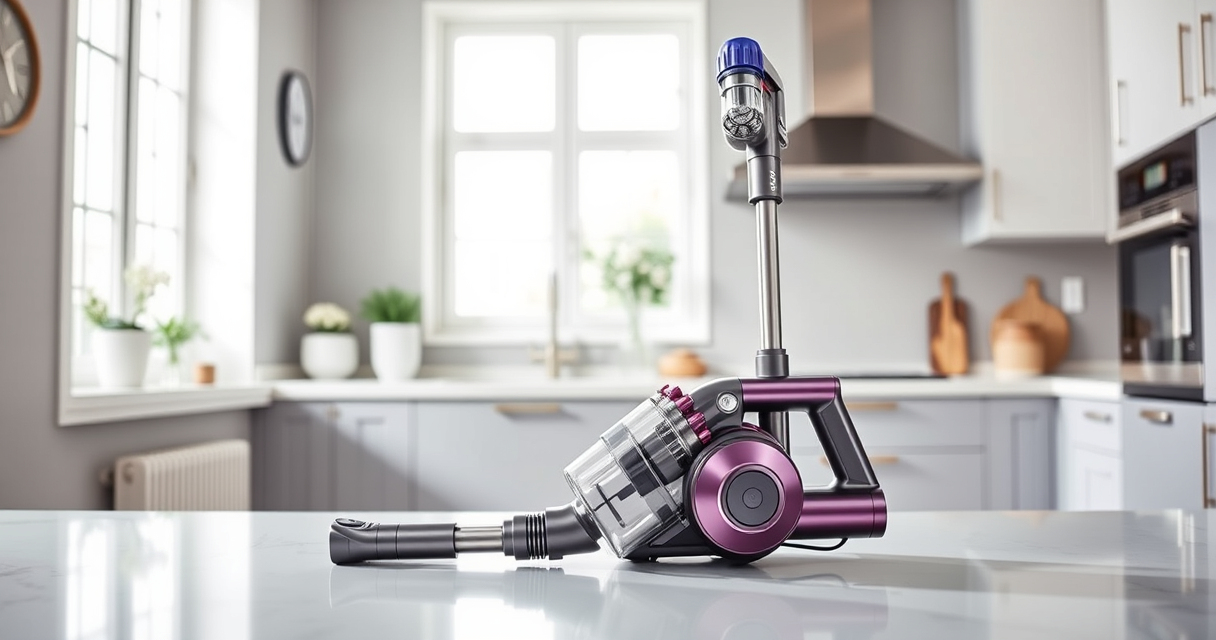
If your Dyson V15 Detect™ Origin Cordless Vacuum isn’t holding a charge like it used to, don’t worry. Battery problems are common and often fixable with some simple maintenance and troubleshooting steps. This guide will walk you through the most effective ways to restore your vacuum’s battery life, ensuring you get the deep cleaning power you rely on.
Follow these steps carefully, and remember to prioritize safety when handling batteries and electrical components.
Key Takeaways
| Battery Check | Ensure the battery is properly connected and not damaged. |
| Clean Contacts | Dirty contacts can cause poor battery performance. |
| Filter Maintenance | Replace or clean filters to prevent motor strain. |
| Software Updates | Keep your vacuum’s firmware updated for optimal performance. |
| Battery Replacement | Consider replacing the battery if it no longer holds a charge. |

Dyson V15 Detect™ Origin Cordless Vacuum
- Deep cleaning with intelligent detection: Reveals invisible dust for thorough cleaning
- Enhanced power and runtime: 100% more power, 60-minute battery life
- Energy-efficient power trigger: Uses power only when needed
As an affiliate, we earn on qualifying purchases.
Step 1: Inspect the Battery and Connections
- Turn off and unplug your Dyson vacuum.
- Remove the battery following the manufacturer’s instructions.
- Check for any visible damage or corrosion on the battery and connectors.
- Ensure the battery is securely plugged into the vacuum. Reconnect if necessary.

LANMU Crevice Tool Vacuum Attachments Compatible with Dyson V15 V12 V11 V10 V9 V8 V7 Gen5 Outsize Vacuum Cleaner, Narrow Nozzel Replacement Parts for Hard-to-Reach Space
- Wide Compatibility: Compatible with various Dyson models
- Slim and Flexible Design: Narrow nozzle for tight spaces
- Versatile Applications: Ideal for furniture, car, and appliance cleaning
As an affiliate, we earn on qualifying purchases.
Step 2: Clean Battery Contacts and Charging Port
- Use a dry, soft cloth or a small brush to gently clean the contacts on the battery and the vacuum.
- Inspect the charging port for debris or dust and clean carefully.
- Reassemble and try charging again.
Step 3: Check and Replace Filters
Clogged filters can cause the motor to work harder, draining the battery faster. Replace the pre-filters with a 3Pack Pre Filters Replacement or clean them if they are washable. Regular maintenance can improve overall efficiency.
Step 4: Update Firmware and Reset Vacuum
Make sure your Dyson V15 Detect™ has the latest firmware. Follow the manufacturer’s instructions for updating via the LCD screen or app. Reset the vacuum if needed to clear any glitches.
Step 5: Consider Battery Replacement
If your battery still dies quickly after troubleshooting, it may be time to replace it. Use a compatible replacement battery or consider professional service for the best results.
The Products in This Guide

Dyson V15 Detect™ Origin Cordless Vacuum
- ✔ Weight: approximately 6.8 lbs
- ✔ Charging Time: about 4 hours
- ✔ Warranty: 2 years

LANMU Crevice Tool Vacuum Attachments Compatible
- ✔ Weight: less than 1 lb
- ✔ Material: ABS plastic
- ✔ Color: Black/clear
Dyson V15 Detect™ Origin Cordless Vacuum
The Dyson V15 Detect™ Origin offers impressive cleaning power and intelligent features. Regular battery and filter maintenance can significantly extend its runtime, ensuring you get the most from your investment.
Pros:
- Powerful suction
- Intelligent debris detection
- Long runtime of 60 minutes
- Smart LCD display
Cons:
- Battery can degrade over time
- Filters need regular cleaning
- Battery replacement may be needed
Best for: Deep cleaning homes with mixed floor types and pet hair
Not ideal for: If frequent battery replacements are needed or for very heavy-duty continuous use
Bottom line: Regular maintenance can greatly improve your Dyson V15’s battery life and performance.
LANMU Crevice Tool Vacuum Attachments Compatible
The LANMU Crevice Tool Vacuum Attachments offer precise cleaning in tight spaces, making it easier to reach difficult areas and improve overall maintenance of your Dyson vacuum.
Pros:
- Narrow nozzle for tight spots
- Compatible with many Dyson models
- Flexible and slender design
- Great for cars and upholstery
Cons:
- Additional attachments needed
- Not a battery solution
- May require adjustment for best fit
Best for: Cleaning corners, car interiors, and hard-to-reach areas
Not ideal for: For general cleaning or replacing filters
Bottom line: A versatile tool to reach those tricky spots for a thorough clean.
Frequently Asked Questions
How do I know if my Dyson battery needs replacing?
If your vacuum no longer holds a charge or runs for significantly less time than before, it may be time to replace the battery. Regular troubleshooting, like cleaning contacts and filters, can help extend its lifespan first.
Can I upgrade my Dyson battery myself?
Replacing the battery yourself is possible if you follow safety precautions and use a compatible replacement. However, for best results and warranty purposes, consider professional replacement or authorized service.
How often should I replace the filters?
For optimal performance, replace or clean your filters every 2-3 months depending on usage. Using a 3Pack Pre Filters Replacement can help maintain suction and motor health.
Is it safe to clean the battery contacts with water?
No, do not expose the battery or contacts to water. Use a dry cloth or a soft brush to clean contacts to avoid damage or electrical issues.
Keep Your Dyson Running Like New
With proper maintenance and timely replacements, you can significantly extend the life of your Dyson V15 Detect™ Origin Cordless Vacuum’s battery. Regularly cleaning filters, inspecting connections, and updating firmware ensure optimal performance. When all else fails, replacing the battery can restore your vacuum’s power and efficiency, keeping your home spotless with ease.
Affiliate disclosure: As an Amazon Associate we earn from qualifying purchases. Prices and availability are accurate as of the time of publishing.