If your Dyson cordless vacuum isn’t picking up debris as effectively as it used to, it might be due to a blockage, dirty filters, or other common issues. This guide provides practical, safe steps to troubleshoot and restore your vacuum’s suction power, ensuring you get the most out of your device.

Get cleaning gear delivered free with Prime
- Fast, free delivery on millions of items
- Prime Video, Amazon Music and more included
- Member-only deals all year
Follow these simple instructions to identify and resolve the problem efficiently, with tips on maintenance and replacement parts to keep your Dyson running smoothly.
Key Takeaways
| Check for blockages | Ensure the wand and cleaner head are free of obstructions. |
| Replace filters regularly | Dirty filters reduce suction; replace or clean as needed. |
| Inspect for damaged parts | Damaged or worn components can impair performance. |
| Clean the bin and cyclone | Empty and clean to prevent debris buildup. |
| Test after each step | Verify improvement to avoid unnecessary replacements. |
Check for Blockages and Obstructions
- Turn off and unplug your Dyson vacuum.
- Remove the wand and cleaner head.
- Inspect the wand, cleaner head, and hose for debris or blockages.
- Clear any obstructions carefully using a long, thin object if necessary.
Clean or Replace the Filters
Dirty filters are a common cause of loss of suction. Remove the pre-filter and other filters from your vacuum.
Rinse filters with water and let them air dry completely before reinstalling. If filters are damaged or excessively dirty, replace them with compatible replacements such as the 3Pack Pre Filters or V10 Filters.
Empty and Clean the Bin
- Remove the dustbin from your Dyson vacuum.
- Empty the contents into the trash.
- Wash the bin with water if it’s particularly dirty, then dry completely before reassembling.
Check the Cyclone and Air Path
Clean the cyclone by removing dust and debris that may have accumulated, ensuring smooth airflow.
Use a soft brush or cloth to wipe the cyclone and surrounding air pathways.
Test and Maintain
After completing these steps, turn on your vacuum and test if suction has improved. Repeat cleaning or replace parts as needed.
Regular maintenance, including filter replacement and cleaning, will keep your Dyson performing optimally.
The Products in This Guide

Dyson V15 Detect™ Origin Cordless Vacuum
- ✔ Battery Life: 60 mins
- ✔ Weight: 7.9 lbs
- ✔ Filtration: Advanced HEPA filters

LANMU Crevice Tool Vacuum Attachments Compatible
- ✔ Length: 12 inches
- ✔ Material: Plastic
- ✔ Color: Black
Dyson V15 Detect™ Origin Cordless Vacuum
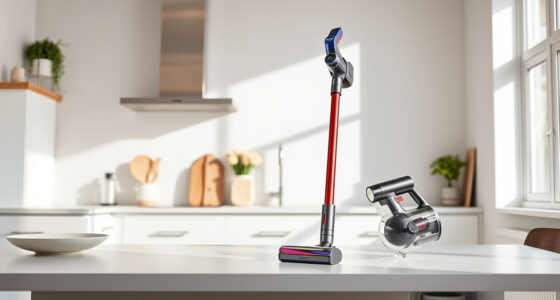
The Dyson V15 Detect™ Origin Cordless Vacuum offers powerful suction, intelligent detection, and a range of cleaning modes. Its advanced design makes troubleshooting and maintenance straightforward, helping you fix common suction issues effectively.
Pros:
- Powerful 100% more suction
- Intelligent debris detection
- Long 60-minute runtime
- LCD screen with real-time info
Cons:
- Premium price
- Heavier than some handhelds
- Requires regular filter cleaning
Best for: Whole-home deep cleaning, pet hair, hard floors, and carpets
Not ideal for: Light-duty cleaning or budget-conscious users
Bottom line: A high-performance cordless vacuum ideal for comprehensive cleaning needs.
LANMU Crevice Tool Vacuum Attachments Compatible
The LANMU Crevice Tool Vacuum Attachments are compatible with Dyson models including the V15. Its slim, flexible design helps reach tight corners and tricky spaces, making it easier to clear debris from edges, upholstery, and car interiors.
Pros:
- Narrow, flexible nozzle
- Compatible with many Dyson models
- Easy to maneuver
- Effective for detailed cleaning
Cons:
- May not fit older Dyson models
- Extra attachment needed for certain areas
- Requires careful handling
Best for: Cleaning tight spots, car interiors, and corners
Not ideal for: Large debris or heavy-duty cleaning
Bottom line: A versatile tool to reach and clean the narrowest spots effectively.
Frequently Asked Questions
Why does my Dyson vacuum lose suction?
Loss of suction can be caused by blockages, dirty filters, full dustbins, or damaged parts. Regular maintenance and cleaning help prevent this.
How often should I replace the filters?
Filters should typically be washed and replaced every 2-3 months, depending on usage and filter condition.
Can I wash the filters?
Yes, most Dyson filters are washable. Rinse with water, ensure they are completely dry before reinstalling to maintain performance.
What if cleaning doesn’t restore suction?
If cleaning and replacing filters do not improve suction, check for blockages in the wand, hose, or cyclone, and inspect for damaged parts.
Keep Your Dyson Performing at Its Best
Regular maintenance is key to keeping your Dyson cordless vacuum working effectively. By following these troubleshooting steps—checking for blockages, cleaning or replacing filters, and maintaining the cyclone—you can restore optimal suction and extend the life of your device. Investing in quality replacement parts and accessories, like the recommended crevice tool, can make your cleaning routine easier and more efficient.
Affiliate disclosure: As an Amazon Associate we earn from qualifying purchases. Prices and availability are accurate as of the time of publishing.
Halloween Picks
halloween
As an affiliate, we earn on qualifying purchases.