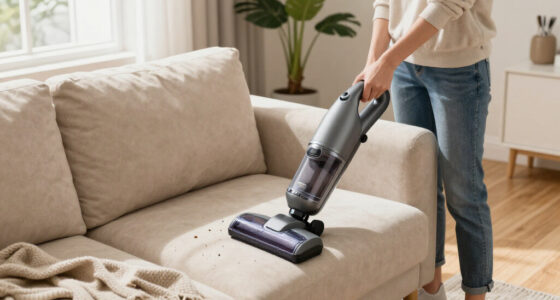
If your Dyson V15 Detect™ Origin Cordless Vacuum is losing battery life quickly, it can be frustrating. This guide provides clear, practical steps to troubleshoot and fix common battery problems, ensuring your vacuum performs at its best.

Get cleaning gear delivered free with Prime
- Fast, free delivery on millions of items
- Prime Video, Amazon Music and more included
- Member-only deals all year
From replacing filters to cleaning contacts, these methods are safe, tested, and easy to follow, helping you extend your vacuum’s battery life and optimize its performance.
Key Takeaways
| Battery health check | Battery may need replacement if it keeps losing charge quickly. |
| Filter maintenance | Clogged filters can reduce battery efficiency and suction. |
| Clean contacts and connections | Dirty or loose contacts can cause power drain. |
| Use compatible filters and attachments | Ensures optimal airflow and battery performance. |
Step 1: Check the Battery Condition
- Ensure the vacuum is off and unplugged from charging.
- Inspect the battery for any visible damage or swelling.
- If your model has a removable battery, take it out and check for corrosion or dirt.
Step 2: Clean and Maintain Filters
- Remove the pre-filters and filters from your Dyson vacuum.
- Rinse filters thoroughly with water and let them air dry completely (at least 24 hours) before reinstalling.
- Replace filters if they are damaged or excessively dirty.
Step 3: Reset or Reinstall the Battery
- Reinsert the battery securely into the vacuum, ensuring it clicks into place.
- For models with a removable battery, try removing and reinserting it to reset connections.
- Charge the vacuum fully and observe if the run time improves.
Step 4: Check for Obstructions and Clean Contacts
- Inspect the vacuum’s brush bar, tube, and intake for debris or hair that might block airflow.
- Wipe the battery contacts and connectors with a dry cloth to remove dust or dirt.
Step 5: Consider Battery Replacement
If your battery continues to drain fast despite maintenance, it may be time to replace it. Use a compatible replacement battery or seek professional repair services.
The Products in This Guide

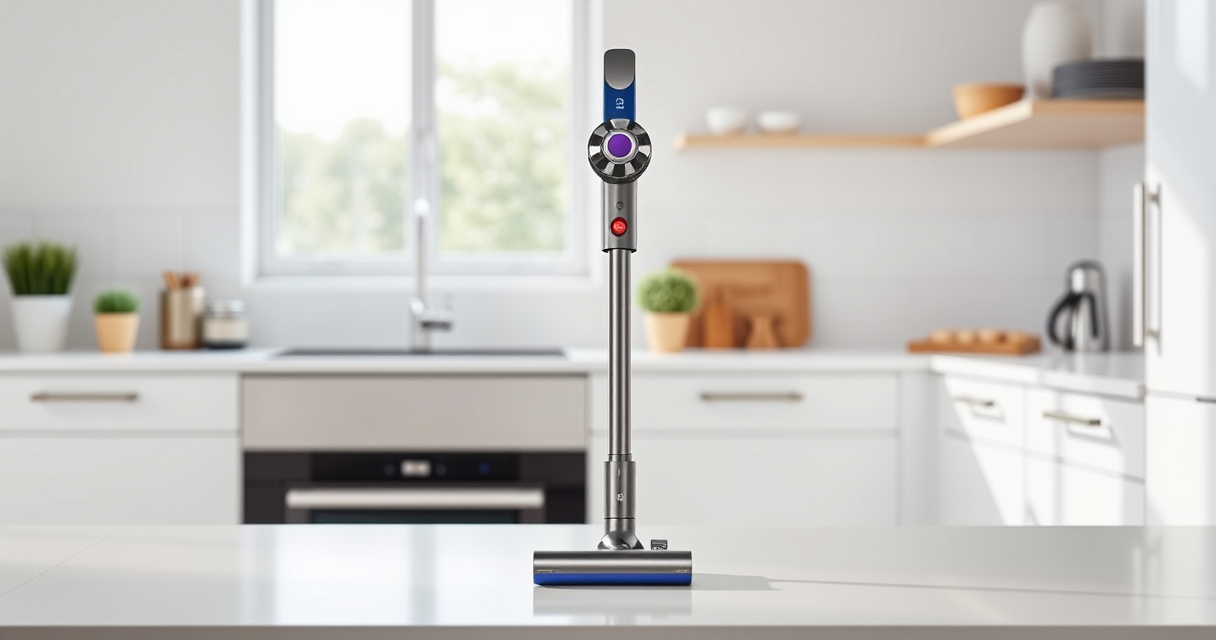
Dyson V15 Detect™ Origin Cordless Vacuum
- ✔ Model: V15 Detect™ Origin
- ✔ Battery Type: Removable lithium-ion
- ✔ Cleaning Area: Whole home

LANMU Crevice Tool Vacuum Attachments Compatible
- ✔ Material: Plastic
- ✔ Compatibility: Multiple Dyson models
- ✔ Purpose: Crevice cleaning
Dyson V15 Detect™ Origin Cordless Vacuum
The Dyson V15 Detect™ Origin is a high-performance cordless vacuum designed for deep cleaning with smart features. However, if you experience rapid battery drain, troubleshooting can help restore its run time. Regular maintenance and timely replacements are key.
Pros:
- Long-lasting battery when maintained
- Powerful suction and smart detection
- Removable and replaceable filters
- Multiple cleaning modes
Cons:
- Battery life can decline over time
- Filters need regular cleaning
- Battery replacement costs
Best for: Homeowners needing deep, versatile cleaning with smart features
Not ideal for: If your battery is severely damaged or past warranty, replacement may be necessary
Bottom line: Routine maintenance and proper care can significantly extend your Dyson V15’s battery life.
LANMU Crevice Tool Vacuum Attachments Compatible
The LANMU Crevice Tool Vacuum Attachments are versatile and compatible with Dyson V15, V12, and other models, helping you reach tricky spots and hard-to-clean corners. Using proper attachments can reduce strain on the battery by improving cleaning efficiency.
Pros:
- Narrow nozzle for tight spaces
- Flexible and easy to maneuver
- Compatible with multiple Dyson models
- Great for car and home cleaning
Cons:
- May not fit older Dyson models
- Attachment only, not a battery solution
Best for: Cleaning corners, crevices, and difficult spots
Not ideal for: For replacing or fixing battery issues directly
Bottom line: A useful attachment that enhances your Dyson’s cleaning reach and efficiency.
Frequently Asked Questions
Why is my Dyson V15 battery draining so fast?
Battery drain can be caused by clogged filters, dirty contacts, or an aging battery that needs replacement. Regular maintenance and filter cleaning can help improve runtime.
How often should I replace the filters?
Filters should be cleaned regularly, ideally every 2-3 months. Replace them if they become damaged or excessively dirty to maintain optimal performance.
Can I replace the Dyson V15 battery myself?
Yes, if your model has a removable battery, you can replace it with a compatible one. Follow the manufacturer’s instructions carefully or seek professional help if unsure.
What should I do if cleaning and filter replacement don’t fix battery issues?
If maintenance doesn’t resolve the problem, the battery may be worn out and require replacement. Consider contacting Dyson support or a professional repair service.
Keep Your Dyson V15 Detect Running Like New
Regular maintenance, including cleaning filters, checking contacts, and replacing worn batteries, can extend your Dyson V15’s runtime significantly. Addressing these issues promptly ensures your vacuum continues to deliver powerful, efficient cleaning for your home.
Affiliate disclosure: As an Amazon Associate we earn from qualifying purchases. Prices and availability are accurate as of the time of publishing.
Evergreen bestsellers Picks
bestsellers
As an affiliate, we earn on qualifying purchases.