If your Roborock Q7 M5+ Robot Vacuum and Mop keeps getting stuck, it can disrupt your cleaning schedule and cause frustration. Fortunately, most issues are fixable with simple troubleshooting steps. This guide covers common causes and practical fixes to help you get your robot back to optimal performance.

Get cleaning gear delivered free — and shop member deals
- Fast, free delivery on millions of items
- Access to Prime Big Deal Days deals on October 6–7
- Prime Video, Amazon Music and more included
Understanding why your Roborock gets stuck and knowing how to address these issues can save you time and maintain your home’s cleanliness. Follow these step-by-step instructions for safe and effective troubleshooting.
Key Takeaways
| Common Causes | Obstacles, tangled brushes, or low battery can cause getting stuck. |
| Basic Fixes | Clear obstacles, check brushes, and update firmware. |
| Prevention Tips | Regular maintenance and mapping review help avoid future issues. |
| When to Seek Help | Persistent problems may require factory reset or professional support. |
Check and Clear Obstacles
- Inspect the robot’s path for any objects, cords, or clutter that might impede movement.
- Remove small items, rugs with tassels, or loose wires from the cleaning area.
- Ensure that doorways and narrow passages are clear for smooth navigation.
Examine and Clean Brushes and Wheels
- Turn off and unplug the robot vacuum before maintenance.
- Remove the main brush and check for tangled hair, threads, or debris. Use a cleaning tool or scissors to clear tangles.
- Clean the wheels and axles with a soft cloth or brush to ensure smooth movement.
Update Firmware and Reset
- Open the Roborock app and check for firmware updates; install if available.
- If stuck persists, perform a factory reset following the manufacturer’s instructions.
- Reconfigure your mapping and cleaning schedule after reset.
Review and Adjust Navigation Settings
- Use the app to review the map and identify areas where the robot gets stuck frequently.
- Set up virtual barriers or no-go zones to prevent entry into problem spots.
- Ensure the robot’s LiDAR sensor is unobstructed and clean.
Tips and Warnings
- Always turn off and unplug the robot before performing maintenance to avoid injury.
- Regularly clean the sensors and brushes to maintain optimal navigation.
- Be cautious when using water or cleaning solutions near electronic parts.
- If problems persist after troubleshooting, contact Roborock support for assistance.
The Products in This Guide

roborock Q7 M5+ Robot Vacuum and Mop
- ✔ Battery Type: Lithium-ion
- ✔ Dust Capacity: 2.7L
- ✔ Weight: 12.5 lbs

4 Pack Washable Filter
- ✔ Weight: 1.2 oz
- ✔ Wash Cycles: Up to 10
- ✔ Dimensions: Approx. 3×3 inches
roborock Q7 M5+ Robot Vacuum and Mop
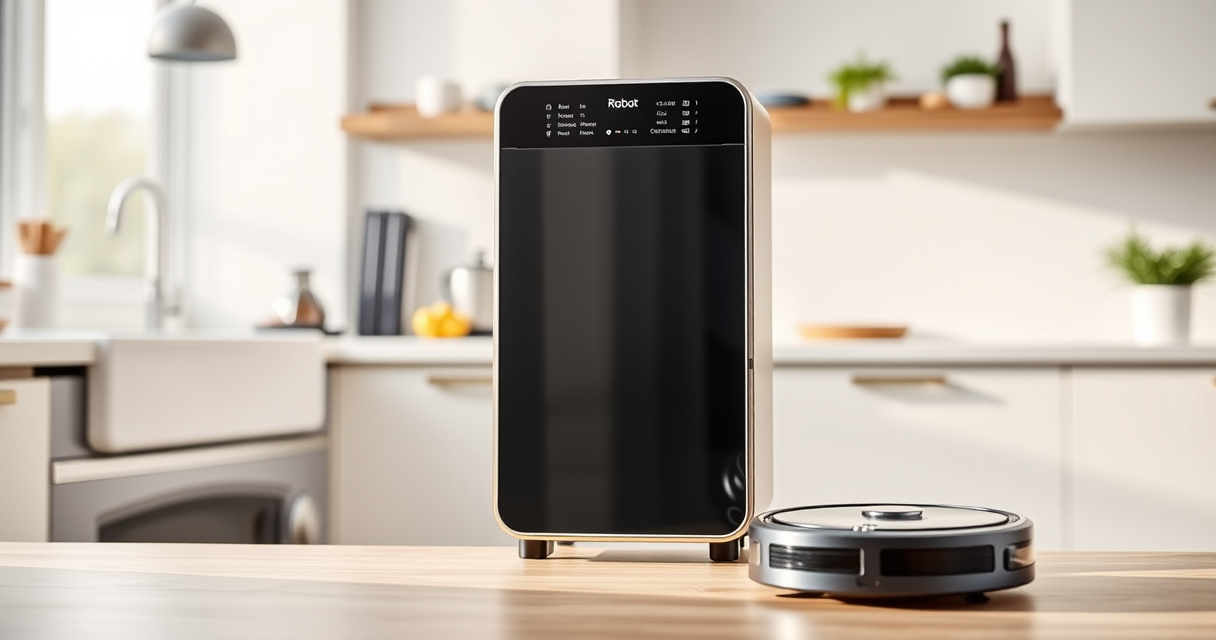
The Roborock Q7 M5+ Robot Vacuum and Mop offers powerful suction, advanced navigation, and a self-emptying dock, making it a reliable choice for busy households. Its dual anti-tangle system and PreciSense LiDAR navigation help prevent common sticking issues and ensure efficient cleaning.
Pros:
- Powerful 10000Pa suction
- Self-emptying dock with 7-9 weeks capacity
- Advanced navigation with PreciSense LiDAR
- Dual anti-tangle system for pet hair
Cons:
- Price may be higher than basic models
- Requires regular maintenance for optimal performance
- App setup can be complex for beginners
Best for: Homes with pets, large spaces, and demanding cleaning needs
Not ideal for: Small apartments with minimal furniture, or users seeking a budget option
Bottom line: A high-performance robot vacuum ideal for pet owners and large homes.
4 Pack Washable Filter
The 4 Pack Washable Filter set ensures your Roborock maintains optimal suction and filtration. Easy to clean and reusable, these filters are a cost-effective way to keep your vacuum running smoothly.
Pros:
- Cost-effective replacement
- Washable and reusable
- Compatible with multiple Roborock models
- Helps maintain suction power
Cons:
- Requires regular cleaning
- Not OEM, so may vary slightly in fit
Best for: Long-term maintenance of your vacuum’s filtration system
Not ideal for: Users looking for OEM parts or specific model filters
Bottom line: An affordable, effective way to keep your vacuum’s filtration in top shape.
Frequently Asked Questions
Why does my Roborock get stuck on certain spots?
Common reasons include obstacles blocking its path, tangled brushes, or uneven surfaces. Cleaning and clearing these areas can help.
How often should I clean the brushes and wheels?
Inspect and clean the brushes weekly, especially if you have pets. Wheels should be checked for debris every few uses.
Can I reset the navigation system to fix the problem?
Yes, performing a factory reset and updating the firmware can resolve persistent navigation issues.
What should I do if my robot still gets stuck after troubleshooting?
Contact Roborock customer support for further assistance or consider professional servicing.
Keep Your Roborock Running Smoothly
Regular maintenance, obstacle management, and software updates are key to preventing your Roborock from getting stuck. With proper care and troubleshooting, your robot vacuum can continue delivering efficient, hassle-free cleaning for years to come. Don’t hesitate to seek professional support if issues persist beyond basic fixes.
Affiliate disclosure: As an Amazon Associate we earn from qualifying purchases. Prices and availability are accurate as of the time of publishing.
Halloween Picks
halloween
As an affiliate, we earn on qualifying purchases.