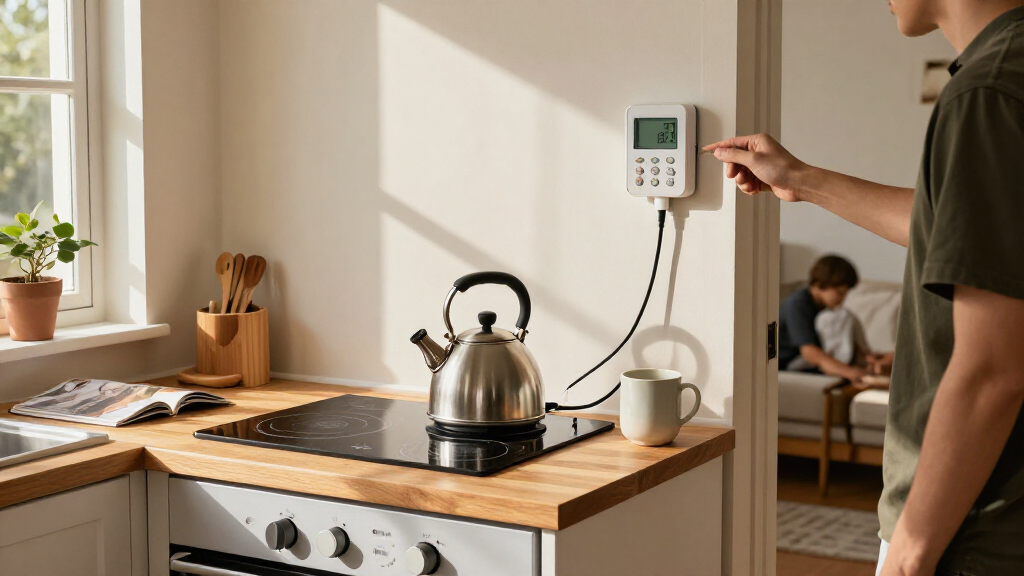

The best home electrification products make it easier to see where electricity goes and control selected devices, but they serve very different jobs. I rank the Emporia Vue 3 as the best overall for whole-home usage visibility, while the Tapo P316M stands out for monitored, individually controlled outlets and the Refoss monitor for cloud-free, Home Assistant-friendly setups. The main tradeoff is scope: a whole-home monitor offers a broader view, while smart plugs and power strips are simpler ways to manage specific appliances. Compatibility, installation demands, and how much data you want to manage also separate these choices. Read on for the full breakdown and guidance on matching a product to your home.

Get cleaning gear delivered free with Prime
- Fast, free delivery on millions of items
- Prime Video, Amazon Music and more included
- Member-only deals all year
Complete the kit


Key Takeaways
- Whole-home insight and outlet control are different jobs: amazon.com/dp/B0C79PNK84?tag=homefixfit-20&ascsubtag=dc-1191945″ target=”_blank” rel=”nofollow sponsored noopener”>Emporia Vue 3 and Refoss monitor circuits or broader household use, while the smart plugs and Tapo strip focus on connected devices.
- The Emporia Vue 3 is the broadest starting point for people who want real-time electricity data and smart-home automation potential, but it calls for more involved setup than a plug-in monitor.
- Tapo P316M combines several functions in one device: a power strip, energy monitoring, Matter support, and individual outlet control, though it occupies a larger footprint than a single smart plug.
- Refoss favors control over cloud convenience: its open API and Home Assistant support suit technically confident buyers who prefer local integrations, but can add setup work.
- Smart-plug choices hinge on ecosystem and quantity: Amazon, Linkind, Govee, and GHome offer different multipacks and compatibility paths, while the Watt Meter is the simplest choice for checking one appliance without smart-home automation.
| Emporia Vue 3 Home Energy Monitor – Smart Home Automation Module and Real-Time Electricity Usage Monitor |  | Best for Whole-Home Insight | Model: EMV3A-2P-16 | Monitoring: Whole-home monitor with 16 circuit sensors | Solar support: Supports solar and net metering | VIEW LATEST PRICE | See Our Full Breakdown |
| Amazon Smart Plug (2-Pack) |  | Best for Alexa Beginners | Pack size: 2 smart plugs | Dimensions: 3.2 x 1.5 x 2.2 inches | Weight: 3.1 ounces | VIEW LATEST PRICE | See Our Full Breakdown |
| Govee Smart Plug, WiFi Outlet Compatible with Alexa & Google Assistant, 4 pcs |  | Best Multi-Plug Value | Pack size: 4 smart plugs | Voltage: 120 volts | Amperage: 11 A | VIEW LATEST PRICE | See Our Full Breakdown |
| Tapo Smart Wi-Fi Power Strip, Matter, P316M, Energy Monitoring |  | Best for Multi-Device Energy Management | Model: P316M | AC outlets: 6 | USB ports: 3 | VIEW LATEST PRICE | See Our Full Breakdown |
| Linkind Matter Smart Plug, Compatible with Apple Home, Alexa, Siri, Google Home |  | Best Compact Cross-Platform Plug | Voltage: 120 volts | Current: 15 A | Power capacity: 1800 W | VIEW LATEST PRICE | See Our Full Breakdown |
| GHome Smart Plug Mini, WiFi Smart Outlet Plug Works with Alexa and Google Home, Timer Outlet with APP Control, 2.4GHz Network Only, No Hub Required, ETL FCC Listed (4 Pack), White | 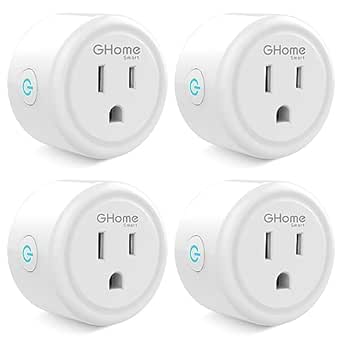 | Best for Simple Appliance Scheduling | Pack size: 4 plugs | Voltage: 120 V | Amperage: 10 A | VIEW LATEST PRICE | See Our Full Breakdown |
| Watt Meter Power Meter Plug Home Electricity Usage Monitor with 7 Modes Display |  | Best for Checking Individual Appliance Consumption | Monitoring parameters: Power, energy, voltage, amps, hertz, power factor, cost, min/max power, and cumulative time | Display size: 2.36 × 1.85 in. | Backlight options: 10 minutes, 1 hour, 4 hours, 8 hours, or always on | VIEW LATEST PRICE | See Our Full Breakdown |
| Refoss Smart Home Energy Monitor with Open API, Home Assistant, No Cloud |  | Best for Local, Circuit-Level Energy Management | Model: EM16P | Current sensors: 2 main sensors, 200 A each; 16 branch sensors, 1–60 A each | Connectivity: Open API, MQTT, and Web UI | VIEW LATEST PRICE | See Our Full Breakdown |
| home electrification product | Dimensions | Connectivity | Voltage |
|---|---|---|---|
| Emporia Vue 3 Home Energy Moni | 10 x 5 x 5 inches | 2.4 GHz Wi-Fi and internet connection required | — |
| Amazon Smart Plug | 3.2 x 1.5 x 2.2 inches | — | — |
| Govee Smart Plug | — | — | 120 volts |
| Tapo Smart Wi-Fi Power Strip | 16.2 x 4.8 x 1.9 inches | Matter; Wi-Fi required for remote features | 120 volts |
| Linkind Matter Smart Plug | — | Matter and 2.4 GHz Wi-Fi | 120 volts |
| GHome Smart Plug Mini | 2 × 2 × 1 in. | — | 120 V |
| Watt Meter Power Meter Plug Ho | — | — | — |
| Refoss Smart Home Energy Monit | 4.5 × 3.5 × 1.1 in. | Open API, MQTT, and Web UI | — |
More Details on Our Top Picks
Emporia Vue 3 Home Energy Monitor – Smart Home Automation Module and Real-Time Electricity Usage Monitor
For buyers who want to electrify thoughtfully, the Emporia Vue 3 offers a broad view of household electricity use rather than control over just one outlet. Its 16 circuit sensors can help identify which major loads drive consumption, while solar and net-metering support makes it a better fit for homes producing their own power than the plug-in monitors in this roundup. Real-time data and automation through the mobile app can help owners choose when to run flexible loads. The tradeoff is installation: unlike the Amazon Smart Plug, this system goes in the electrical panel and may call for professional help. It also depends on 2.4 GHz Wi-Fi and internet access, and three-phase systems need an additional sensor. Choose it for panel-level visibility, not simple plug-and-play control.
Pros:- Tracks usage across up to 16 circuits for a more detailed household picture than plug-in monitors.
- Supports solar and net metering, suiting homes that both consume and generate electricity.
- Real-time monitoring and app-based automation can help users manage when loads operate.
- UL-certified system.
Cons:- Electrical-panel installation may be too complex for many DIY users.
- Requires 2.4 GHz Wi-Fi and an internet connection.
- Three-phase systems require an additional sensor.
Best for: Homeowners with solar or several major electrical loads who want circuit-level data to guide energy-management decisions.
Not ideal for: Renters and buyers who want an easy outlet-level setup; panel installation may be complex, and it requires 2.4 GHz Wi-Fi and internet access.
- Model:EMV3A-2P-16
- Monitoring:Whole-home monitor with 16 circuit sensors
- Solar support:Supports solar and net metering
- Connectivity:2.4 GHz Wi-Fi and internet connection required
- Certification:CE, UL
- Dimensions:10 x 5 x 5 inches
- Weight:4.99 pounds
- Included components:Energy monitor, current transformers, wire harness, Wi-Fi antenna assembly, wire nuts, splicing wires
Our verdict“Choose the Emporia Vue 3 if you want circuit-level insight for a solar-equipped or electricity-intensive home and can handle panel installation.”
Amazon Smart Plug (2-Pack)
The Amazon Smart Plug is the most straightforward way in this group to add scheduled control to ordinary indoor devices, without fitting equipment to the electrical panel. Setup is hub-free, and Alexa routines and voice commands make it a natural match for households already using Alexa. Compared with the four-plug Govee set, this two-pack is more limited: it works only with Alexa and does not offer the Govee plugs’ Google Assistant support. It also does not provide the energy monitoring found in the Tapo P316M power strip or the circuit-level view of the Emporia Vue 3. Its compact form helps keep the neighboring outlet accessible, but 2.4 GHz-only Wi-Fi and indoor-only use limit placement. Pick it for simple device scheduling, not broader electrification data.
Pros:- Hub-free setup works with Alexa.
- Scheduling and routines support hands-free control of compatible devices.
- Compact design can leave the neighboring outlet free.
- Automatic reconnection after outages is listed as a connectivity feature.
Cons:- Works only with Alexa, unlike the Govee plugs and Linkind Matter plug, which support additional platforms.
- Supports 2.4 GHz Wi-Fi only.
- Indoor use only, with no energy monitoring feature specified.
Best for: Alexa households that want to schedule or voice-control a couple of indoor lamps or small appliances without adding a hub.
Not ideal for: Buyers using Google Home, Siri, or 5 GHz Wi-Fi, or anyone seeking energy-use monitoring or outdoor control.
- Pack size:2 smart plugs
- Dimensions:3.2 x 1.5 x 2.2 inches
- Weight:3.1 ounces
- Network:2.4 GHz, 802.11 b/g/n
- Voice assistant:Alexa
- Use:Indoor
- Control features:Voice commands, routines, scheduling
Our verdict“Choose this two-pack for simple Alexa scheduling in a home that does not need cross-platform control or energy data.”
Govee Smart Plug, WiFi Outlet Compatible with Alexa & Google Assistant, 4 pcs
The Govee four-pack makes sense when the goal is to add scheduled control in several rooms at once. Each plug supports Alexa and Google Assistant, so this set is more flexible than the Alexa-only Amazon Smart Plug two-pack. Wi-Fi and Bluetooth connectivity, along with group control, give households multiple ways to manage connected appliances without a central hub being listed as a requirement. For electrification, though, its role is modest: these are outlet controls, not consumption monitors like the Emporia Vue 3 or the Tapo P316M power strip. The plugs are rated for 11 A and use 2.4 GHz Wi-Fi, which narrows their network compatibility and intended load range. The compact size may also create fit issues with some devices or crowded outlets. Pick this set for distributed, basic automation rather than energy measurement.
Pros:- Four plugs provide more outlet coverage than the Amazon two-pack.
- Works with both Alexa and Google Assistant.
- Scheduling and group control help coordinate multiple connected devices.
- Wi-Fi and Bluetooth connectivity, with ETL certification listed.
Cons:- Supports 2.4 GHz Wi-Fi only.
- The 11 A rating may not suit higher-current appliances.
- No energy monitoring feature is specified.
Best for: Households with Alexa or Google Assistant that want to automate several compatible indoor appliances across multiple outlets.
Not ideal for: Buyers who need energy-use tracking, 5 GHz Wi-Fi support, or plugs for devices that exceed the stated 11 A rating.
- Pack size:4 smart plugs
- Voltage:120 volts
- Amperage:11 A
- Plug type:Type B
- Network:2.4 GHz Wi-Fi and Bluetooth
- Voice assistants:Alexa and Google Assistant
- Certification:ETL
- Conductors:3-wire, 2-pole
Our verdict“Choose the Govee set when you want several Alexa- or Google-controlled outlets, but skip it if monitoring electricity use is the priority.”
Tapo Smart Wi-Fi Power Strip, Matter, P316M, Energy Monitoring
The Tapo P316M combines a multi-outlet power strip with energy monitoring, making it the strongest fit here for buyers who need to manage several desk or media devices together. It has six smart AC outlets and three USB ports, while Matter support and voice control across several platforms offer broader integration than the Alexa-only Amazon Smart Plug. Local operation can also keep controls available during an internet outage, a practical difference from products that depend more heavily on cloud access. Against the Emporia Vue 3, however, Tapo monitors a power strip rather than circuits across the home; it cannot provide the same whole-panel view. Its 16.2-inch body takes up space, and its North American plug limits where it can be used. Choose it for a device cluster, not whole-home analysis.
Pros:- Six smart AC outlets and three USB ports consolidate control for several devices.
- Energy monitoring adds consumption visibility absent from the Amazon and Govee plugs.
- Matter support and voice control cover multiple smart-home platforms.
- Local operation can preserve control during internet outages.
Cons:- The 16.2-inch strip needs more space than individual smart plugs.
- North American Type B plug limits regional compatibility.
- Remote features require a Wi-Fi connection.
Best for: People managing a group of home-office, entertainment, or charging devices who want outlet control and energy monitoring in one strip.
Not ideal for: Homeowners seeking circuit-by-circuit data across the entire house, or buyers who need a compact or non-North-American power strip.
- Model:P316M
- AC outlets:6
- USB ports:3
- Maximum current:15 A
- Voltage:120 volts
- Connectivity:Matter; Wi-Fi required for remote features
- Dimensions:16.2 x 4.8 x 1.9 inches
- Weight:1.4 pounds
Our verdict“Choose the Tapo P316M for monitoring and controlling a cluster of devices, but choose the Emporia Vue 3 for whole-home circuit visibility.”
Linkind Matter Smart Plug, Compatible with Apple Home, Alexa, Siri, Google Home
For a buyer who wants one compact outlet control that can join different smart-home ecosystems, the Linkind Matter Smart Plug is a more flexible pick than the Amazon Smart Plug, which is limited to Alexa. Matter support and compatibility with Apple Home, Alexa, Siri, and Google Home make it a useful choice for households with mixed devices or changing platform preferences. Its 15 A, 1800 W capacity gives it a stated load ceiling, while app-based remote control and scheduling cover everyday automation. Compared with the Govee four-pack, Linkind emphasizes cross-platform integration in an individual plug rather than multi-room coverage. The main compromise is the lack of stated energy monitoring, which makes the Tapo P316M a better fit for outlet-level consumption data. Some platforms also require a Matter-certified hub for full functionality; Wi-Fi is 2.4 GHz only.
Pros:- Matter compatibility supports integration with several major smart-home platforms.
- Works with Apple Home, Alexa, Siri, and Google Home.
- Rated for up to 15 A and 1800 W.
- Compact plug-in design supports app control and scheduling.
Cons:- Some platforms require a Matter-certified hub for full functionality.
- Supports 2.4 GHz Wi-Fi only.
- No energy monitoring feature is specified, unlike the Tapo P316M.
Best for: Smart-home households using Apple Home, Alexa, or Google Home that want a Matter-compatible plug for a compatible device within its rated capacity.
Not ideal for: Buyers who need energy monitoring, 5 GHz Wi-Fi, or full platform features without a Matter-certified hub.
- Voltage:120 volts
- Current:15 A
- Power capacity:1800 W
- Plug type:Type B, 3-prong
- Connectivity:Matter and 2.4 GHz Wi-Fi
- Compatible platforms:Apple Home, Alexa, Siri, Google Home
- Conductors:3-wire, 1-pole
- Material:Plastic
Our verdict“Choose Linkind for compact, cross-platform smart control; pick the Tapo P316M instead if energy monitoring and several outlets matter more.”
GHome Smart Plug Mini, WiFi Smart Outlet Plug Works with Alexa and Google Home, Timer Outlet with APP Control, 2.4GHz Network Only, No Hub Required, ETL FCC Listed (4 Pack), White
The GHome Smart Plug Mini is the straightforward pick for adding scheduled control to ordinary plug-in appliances. Its app timers and Alexa and Google Home support can automate lamps or other suitable devices without replacing switches or adding a hub. Compared with the Tapo Smart Wi-Fi Power Strip P316M, this four-pack offers individual compact outlets rather than a strip with energy monitoring, so it suits scattered devices better than a desk or media setup. The small body may help in crowded outlets, but the 10 A rating limits which appliances are appropriate; check the load before connecting anything. Setup also takes an app connection before voice control, and the plug only works on 2.4GHz WiFi. I’d choose it for basic routines, not detailed energy tracking or higher-load equipment.
Pros:- Four plugs provide scheduled control for multiple outlets.
- Works with Alexa and Google Home for voice commands.
- Compact dimensions can help in tight outlet spaces.
- App supports remote control, schedules, and auto-off timers.
Cons:- Works only on 2.4GHz WiFi networks.
- Requires app setup before linking a voice assistant.
- Its 10 A rating rules out some higher-load appliances.
Best for: People who want app scheduling and voice control for lamps or other compatible, modest-load devices in several rooms.
Not ideal for: Buyers who need energy-use measurements, 5GHz WiFi support, or a plug for appliances that exceed its 10 A rating.
- Pack size:4 plugs
- Voltage:120 V
- Amperage:10 A
- Network:2.4GHz WiFi
- Smart home compatibility:Alexa and Google Home
- Dimensions:2 × 2 × 1 in.
- Plug type:Type B
- Certifications:ETL and FCC
Our verdict“Choose this four-pack for basic scheduling and voice control across compatible, modest-load appliances; skip it if you need energy monitoring or higher capacity.”
Watt Meter Power Meter Plug Home Electricity Usage Monitor with 7 Modes Display
This watt meter is the hands-on choice for people who want to see what one plug-in appliance draws, rather than automate it. The LCD reports readings including watts, cumulative energy, voltage, current, power factor, and estimated cost, giving more immediate detail at the outlet than the GHome Smart Plug Mini, which offers scheduling but no stated energy monitoring. That information can help compare appliance use or spot unexpectedly high draw, while the Refoss EM16P is a better fit for tracking multiple household circuits and solar activity. The tradeoff is that this meter only measures: it does not switch appliances or send readings into a smart-home system. Its overload threshold and backlight also need manual setup, so I’d favor it for occasional, focused checks rather than whole-home automation.
Pros:- Displays power, energy, voltage, current, frequency, power factor, and other readings.
- Large LCD has adjustable backlight settings.
- Overload protection threshold can be adjusted up to 3680 W.
- Memory retains the last usage data.
Cons:- Monitors readings but does not control connected appliances.
- Overload limit and backlight settings require manual adjustment.
- A single plug-in meter does not provide whole-home circuit monitoring.
Best for: Householders who want to inspect the energy use and electrical readings of individual plug-in appliances at the outlet.
Not ideal for: Buyers seeking remote monitoring, automatic appliance control, or a whole-home view across multiple circuits.
- Monitoring parameters:Power, energy, voltage, amps, hertz, power factor, cost, min/max power, and cumulative time
- Display size:2.36 × 1.85 in.
- Backlight options:10 minutes, 1 hour, 4 hours, 8 hours, or always on
- Default overload setting:3680 W
- Adjustable overload range:0–3680 W
- Memory function:Records last usage data
- Overload warning:Displays “OVERLOAD” when the threshold is exceeded
Our verdict“Pick this meter for direct, local readings from individual appliances, but choose the Refoss EM16P for circuit-level monitoring and automation.”
Refoss Smart Home Energy Monitor with Open API, Home Assistant, No Cloud
The Refoss EM16P is the most capable electrification tool here for people who want circuit-level visibility and local smart-home control. Its two main sensors and 16 branch sensors can show how power is distributed across a home, while Open API, MQTT, and Home Assistant support automations without depending on a cloud service. That is a much broader view than the plug-in Watt Meter, which measures one connected appliance, and it adds solar and peak-management use cases beyond the GHome Smart Plug Mini’s basic scheduling. The tradeoff is a more involved installation: fitting sensors in a panel and building integrations suits technically confident owners better than casual users. Its stated sensor capacities also constrain which circuits it can monitor, and no cloud connection means remote access needs a suitable local setup.
Pros:- Two main and 16 branch sensors support broad circuit-level monitoring.
- Open API, MQTT, and Home Assistant integration enable local automations.
- Designed to support solar monitoring and peak management.
- Specified accuracy is ±1% at 200 A and ±2% at low current.
Cons:- Panel installation and integration may require technical knowledge.
- Sensor capacities limit the circuits it can monitor.
- No built-in cloud connectivity for remote access.
Best for: Solar homeowners and Home Assistant users who want local, circuit-by-circuit data to inform energy automations and peak management.
Not ideal for: Renters, people uncomfortable working around an electrical panel, or buyers who want simple cloud-based remote access without configuration.
- Model:EM16P
- Current sensors:2 main sensors, 200 A each; 16 branch sensors, 1–60 A each
- Connectivity:Open API, MQTT, and Web UI
- Accuracy:±1% at 200 A; ±2% at low current
- Installation:Clamp-on; fits most home panels
- Certifications:ETL and UL 61010
- Warranty:2 years
- Dimensions:4.5 × 3.5 × 1.1 in.
Our verdict“Choose the EM16P for local whole-home and solar monitoring with Home Assistant; pick a plug-in meter or smart plug for simpler appliance-level use.”
How We Picked
I compared these eight products by the job they do for home electrification: monitoring whole-home or appliance-level consumption, controlling connected loads, or both. I weighed measurement scope and usefulness, installation effort, smart-home compatibility, local versus cloud-based control, and the practicality of daily use. I also considered the number and type of outlets, whether a product needs a hub or a particular network, and how well its functions match a buyer’s likely energy goals.
The ranking favors products that offer a strong balance of useful energy insight, approachable operation, and flexibility. That puts the Emporia Vue 3 first for broad household visibility, while the Tapo strip earns a high place for combining outlet-level control with monitoring. Refoss ranks lower for general buyers because its open, cloud-free approach can involve more configuration; single-purpose meters and basic plug multipacks are useful, but cover narrower needs. These are distinct tools, not substitutes for a qualified electrical assessment or upgrades to major heating, cooling, or cooking equipment.
Factors to Consider When Choosing Best Home Electrification Products
Before choosing, decide what you want to change: understand total household use, track one appliance, or automate a set of devices. The products here cover those different layers, so a lower-complexity plug can be a better fit than a whole-home monitor if your goal is limited. I’d use these factors to narrow the field before comparing compatibility and setup details.
Decide Whether You Need Whole-Home or Appliance-Level Data
Start with the question your data needs to answer. A circuit-level or whole-home monitor can help reveal broad patterns, such as when household demand rises, while an outlet meter or smart plug isolates a connected appliance. Do not assume a plug-in reading represents everything in a room: hardwired equipment and devices on other circuits remain outside its view. If you want to identify one energy-hungry appliance, targeted measurement may be enough. If you are trying to understand a home-wide pattern, a collection of unrelated plug readings can leave important gaps. Choose the smallest measurement scope that can answer your actual question.
Check Electrical Fit Before Buying
Smart plugs and strips are intended for compatible loads, not every electrical device. Check the product’s electrical ratings against the appliance, and pay special attention to high-draw equipment such as heaters, kitchen appliances, and motor-driven devices. A smart outlet should not be treated as a way to make an unsuitable appliance safe or to exceed an outlet’s capacity. Whole-home monitors may involve work inside an electrical panel, so installation comfort and local requirements matter before purchase. If panel work is unfamiliar, ask a qualified electrician rather than treating installation as a casual DIY task. This fit check can matter more than a long feature list.
Match Smart-Home Support to Your Existing Setup
Compatibility names can sound interchangeable, but your day-to-day experience depends on the hub, voice assistant, app, and automations you already use. Matter support can make a device easier to integrate across supported ecosystems, but it does not remove the need to check the exact platform and feature support. Products limited to 2.4 GHz Wi-Fi may need a separate network setting if your router combines bands. Open API and local-control options can be valuable for Home Assistant users, while app-first buyers may prefer a simpler setup. Before buying several devices, confirm that the functions you want—such as energy reporting or scheduling—are available in your chosen platform, not just in the manufacturer’s app.
Choose Between Local Control and Cloud Convenience
Cloud-connected products can offer straightforward remote access and app-based routines, but they may depend on an account, internet access, or ongoing service support. A local-control product can keep automations closer to home and appeal to people who want to limit cloud reliance, though setup may take more technical effort. This choice affects more than privacy: it can shape how a device behaves during an internet outage and how easily it connects to other equipment. If you do not plan to maintain a smart-home server or configure integrations, a cloud-oriented app may be the more practical route. If local operation is a firm requirement, verify which monitoring and control features remain available without cloud access.
Buy for the Number of Devices You Will Actually Manage
Multipacks can simplify outfitting several lamps or small appliances, but buying more outlets than you need can create clutter and complicate naming, schedules, and troubleshooting. A power strip is useful when several devices share one location, while individual plugs are easier to move and place around the home. Avoid putting a strip behind furniture if you will need frequent access to its controls or connected cables. Also check whether the outlets are independently controlled and monitored; a shared strip does not always mean each socket gets separate data or automation. Make a short list of target devices and locations before choosing a pack size.
Treat Energy Monitoring as a Tool, Not an Automatic Saving
Usage data can point to patterns, but seeing a number does not itself lower electricity use. The benefit comes from acting on what you learn: changing schedules, reducing standby draw, or investigating a persistent load. A monitor’s readings may also differ in detail and presentation from utility billing data, so use them to compare patterns rather than assume every figure is a bill-ready total. Think about whether you will check an app regularly or prefer a simple display that answers a quick question. If you mainly want to track one appliance occasionally, a basic meter may be more useful than a connected system with features you will not use. Pay for extra automation or integration only when it supports a specific habit or project.
Frequently Asked Questions
Should I start with a whole-home monitor or a smart plug?
Choose a whole-home monitor if you need a broad picture of household electricity use or want to compare changes across the home. A smart plug is a simpler starting point when you have a specific plug-in appliance or device group to track and control. The products in this roundup are not interchangeable: Emporia Vue 3 and Refoss target broader monitoring, while the plugs and Tapo strip focus on connected outlets. If you are unsure where energy is going, start by identifying whether the suspected load is hardwired or plug-connected. Panel installation requirements may also make a plug-in option the more practical first step.
Can I use a smart plug to control any appliance?
No. Check the smart plug’s electrical ratings and the appliance’s load before connecting them, especially for devices that draw substantial power or contain motors or heating elements. Some appliances may also be unsuitable for repeated power cycling or may not resume in the desired state after power is restored. A smart plug does not replace a properly rated outlet, dedicated circuit, or safe installation. For high-draw or hardwired equipment, use the manufacturer’s guidance and consult an electrician when needed. These products are best matched to compatible loads rather than treated as universal controls.
Do I need Matter support to use smart plugs across different platforms?
Not always. Several products support named assistants or ecosystems directly, so a buyer may not need Matter if their existing setup is already covered. Matter can help simplify cross-platform integration, but platform support for individual features—particularly energy reporting—can vary. Check the current compatibility details for the exact app, hub, and functions you intend to use before purchasing multiple plugs. If you only need voice control or a schedule in one ecosystem, a direct compatibility match may be sufficient. Buyers building a mixed-platform home may find Matter support more useful.
Is a local, cloud-free energy monitor worth the extra setup?
It can be a good fit if you value local control, want to connect readings to Home Assistant, or prefer an open integration path. The Refoss model’s open API and no-cloud approach align with those priorities, but they may ask more of the owner than an app-first device. Consider who will configure, maintain, and troubleshoot the system over time, not just who will install it. If you want quick setup and remote app access without managing integrations, a cloud-connected monitor may feel simpler. Local control is most useful when it solves a clear privacy, reliability, or automation need.
Can an energy monitor tell me exactly how much money I will save?
Not by itself. A monitor can show usage patterns or readings, but savings depend on what you change, the rates on your utility bill, and how your household uses electricity. Plug-in readings also cover only the connected appliance, while a broader monitor may report different categories of use. Use the data to compare before-and-after patterns and identify loads worth investigating rather than treating a displayed estimate as a guaranteed bill reduction. If you want to evaluate a specific change, record usage over comparable periods and account for changes in weather, occupancy, and schedules.
Conclusion
For the broadest starting point, I recommend the Emporia Vue 3 as best overall, especially for buyers who want a household-level view and accept a more involved installation. The Tapo P316M is my best value-style pick for someone who wants a single device to combine a monitored power strip with Matter-enabled outlet control; its form factor makes more sense at a desk or media center than across a whole home. For a best premium, control-focused setup, choose Refoss if cloud-free operation, an open API, and Home Assistant integration matter more than plug-and-play simplicity. Beginners are better served by a straightforward smart plug or the Watt Meter for checking one appliance, with Amazon Smart Plug, Govee, Linkind, and GHome offering different ecosystem and pack-size options. For specific needs, choose individual plugs for scattered devices, the Tapo strip for several devices in one spot, and a whole-home monitor for broader usage patterns; match ratings and installation demands to the equipment before buying.
Halloween Picks
halloween
As an affiliate, we earn on qualifying purchases.