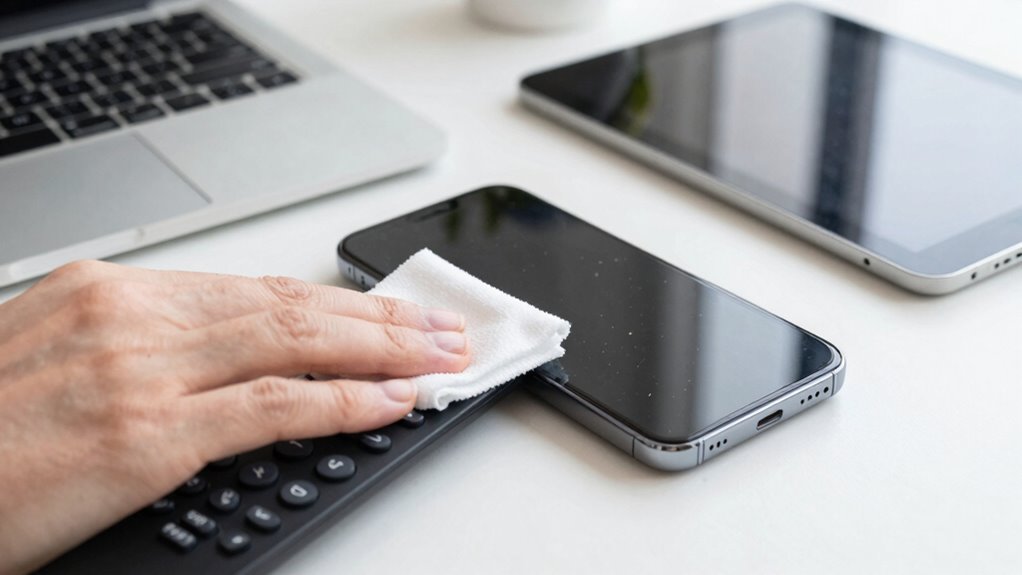

To clean screens, remotes, and tiny tech properly, turn off devices and unplug them first. Use a soft microfiber cloth dampened with water or a screen-safe cleaner to gently wipe in circles, paying attention to edges. For stubborn spots, a small amount of diluted isopropyl alcohol works, while a soft brush or compressed air helps with hard-to-reach areas. Consistent, gentle cleaning helps maintain performance and prolongs device life—keep going to learn more tips for effective tech care.

Get cleaning gear delivered free with Prime
- Fast, free delivery on millions of items
- Prime Video, Amazon Music and more included
- Member-only deals all year
Key Takeaways
- Turn off devices and unplug before cleaning to prevent damage and ensure safety.
- Use a soft microfiber cloth lightly dampened with water or screen-safe cleaner for gentle cleaning.
- For stubborn spots, apply diluted isopropyl alcohol carefully and avoid harsh chemicals.
- Utilize a soft brush or compressed air for tiny tech and remote crevices; avoid forceful blowing.
- Regularly clean to reduce dust, allergens, and prevent overheating, extending device lifespan.
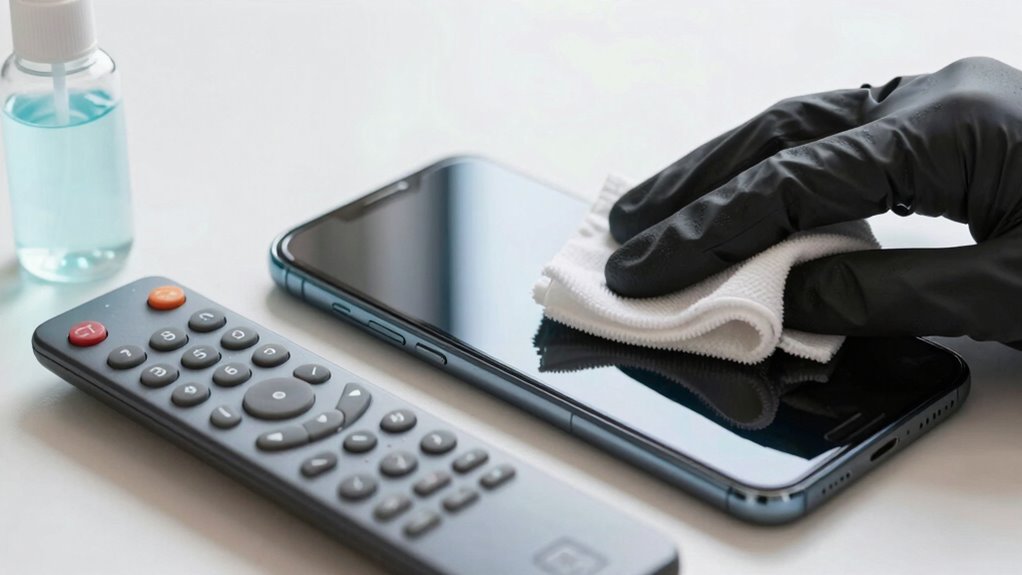
Keeping your screens, remotes, and small devices clean is essential for both their longevity and your health. When you neglect to clean these gadgets properly, dust can build up, causing issues like screen glare and reduced visibility. Dust and smudges not only make your devices look dull but can also interfere with their performance. Regular cleaning keeps your screens clear, reducing glare from light reflections, and guarantees you see everything sharply. Plus, removing dust minimizes the risk of allergens spreading and keeps your devices functioning smoothly.
Keeping gadgets clean boosts their lifespan, improves visibility, and promotes healthier, allergen-free environments.
Start by turning off your device and unplugging it if possible. This step prevents accidental damage and makes cleaning safer and more effective. For dust removal, use a soft, microfiber cloth—these are gentle yet effective at trapping dust particles without scratching surfaces. Lightly dampen the cloth with water or a screen-safe cleaning solution, avoiding harsh chemicals or sprays directly onto the device. Gently wipe in a circular motion, making sure to lift dust and smudges away from the surface. Pay special attention to corners and edges where dust tends to accumulate. For stubborn spots or fingerprints, a small amount of isopropyl alcohol diluted with water can be used, but only on screens that are compatible with alcohol-based cleaners.
When dealing with remotes and tiny tech, a soft brush or compressed air can remove dust from hard-to-reach areas. Be careful not to blow too forcefully, as you might push dust further inside or damage delicate components. For fabric-covered remotes, a quick vacuum with a brush attachment can clear dust without much effort. Remember, cleanliness isn’t just about the surface; it’s about removing particles that could cause long-term damage or interfere with device functionality. Regularly cleaning your devices also helps prevent the buildup of dust and allergens, which can impact both device performance and your health. Incorporating proper cleaning techniques can extend the lifespan of your gadgets significantly. Additionally, understanding how indoor air quality affects dust accumulation can help you develop a more effective cleaning routine. Regular maintenance is also beneficial because dust accumulation can lead to overheating and reduced device efficiency over time.
Cleaning regularly prevents buildup that causes screen glare—an issue where reflections make viewing uncomfortable. When dust and fingerprints scatter light, your screen becomes harder to see clearly. By removing dust and smudges, you regain sharpness, clarity, and reduce eye strain. Keep in mind that frequent, gentle cleaning is better than infrequent, aggressive scrubbing. Consistency helps maintain your devices’ appearance and performance over time. With proper care, your screens and small tech will look better, perform more reliably, and stay healthier for longer.
microfiber screen cleaning cloth
As an affiliate, we earn on qualifying purchases.
As an affiliate, we earn on qualifying purchases.
Frequently Asked Questions
How Often Should I Clean My Tech Devices?
You should clean your tech devices at least once a week to minimize screen glare and maintain clarity. Regular cleaning helps with device sterilization, reducing germs and bacteria. If you notice smudges or fingerprints, clean them immediately. For touchscreens, avoid harsh chemicals. Keeping your devices clean not only improves visibility but also guarantees healthier, more hygienic use, especially during flu seasons or when sharing devices with others.
Can I Use Household Cleaning Products on Electronics?
You shouldn’t use household cleaners on electronics because they can damage sensitive components and compromise electronic safety. Many household cleaners contain harsh chemicals that aren’t safe for screens, remotes, or tiny tech. Instead, opt for a soft, slightly damp cloth with a mixture of water and isopropyl alcohol, ensuring you follow proper cleaning methods to protect your devices. Always prioritize electronics safety to keep your devices functioning properly and safely.
What Is the Best Way to Prevent Scratches on Screens?
To prevent scratches on screens, always use a screen protector or apply anti-scratch coatings. These barriers shield your device from everyday bumps and abrasions. Handle your tech carefully, avoid placing it in pockets or bags with keys or coins, and keep it away from rough surfaces. Regularly clean with a soft, microfiber cloth to prevent dirt buildup that could cause scratches over time. Prevention is your best defense against damaging your screens.
Are There Eco-Friendly Cleaning Options Available?
Yes, eco-friendly cleaning options are available. You can use biodegradable wipes or natural cleaning solutions to gently refresh your screens and tech gadgets. These alternatives not only reduce environmental harm but also keep your devices safe from harsh chemicals. By choosing biodegradable wipes over traditional cleaners, you turn a simple act into a meaningful step toward sustainability, making your tech cleaning routine both effective and eco-conscious.
How Do I Clean Devices With Stubborn Grime or Fingerprints?
To clean stubborn grime or fingerprints from your devices, start by dampening a microfiber cloth with water or a gentle, eco-friendly cleaner. Gently wipe the surface using circular motions, focusing on areas with stubborn grime. Regular microfiber maintenance guarantees effective stubborn grime removal without scratching. Avoid harsh chemicals, and never spray liquid directly onto devices. This approach keeps your screens clear, clean, and well-maintained while protecting their delicate surfaces.
screen-safe electronic cleaner spray
As an affiliate, we earn on qualifying purchases.
As an affiliate, we earn on qualifying purchases.
Conclusion
Think of your devices as delicate gardens that need gentle care to thrive. When you clean screens and remotes with the right tools and techniques, you’re nurturing their health and longevity. Skip the harsh chemicals, and handle each item with patience—like tending to fragile blooms. By doing so, you guarantee your tech remains vibrant and functional, ready for you to enjoy without worry. With proper care, your tiny tech can flourish just like a well-tended garden.
As an affiliate, we earn on qualifying purchases.
As an affiliate, we earn on qualifying purchases.
Halloween Picks
halloween
As an affiliate, we earn on qualifying purchases.