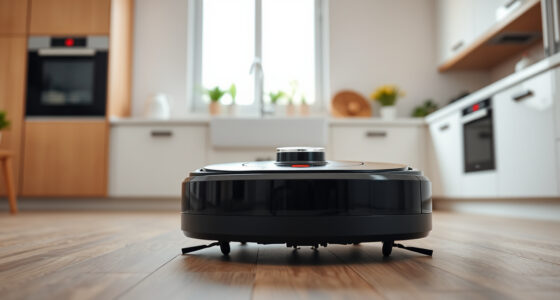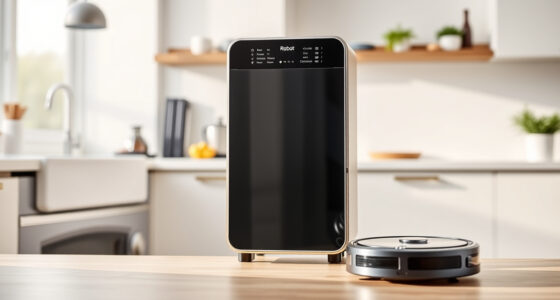
Roborock robotic vacuums, like the Q7 M5+ model, are powerful and intelligent cleaning devices, but like any technology, they can sometimes encounter issues or require routine care. Proper troubleshooting and maintenance ensure your vacuum operates efficiently, prolongs its lifespan, and maintains optimal cleaning performance.

Get cleaning gear delivered free — and shop member deals
- Fast, free delivery on millions of items
- Access to Prime Big Deal Days deals on October 6–7
- Prime Video, Amazon Music and more included
In this comprehensive guide, we’ll walk you through common problems, maintenance routines, and practical tips to keep your Roborock running smoothly. Whether you’re dealing with navigation issues, suction problems, or needing to replace parts, you’ll find clear, step-by-step instructions that are safe and easy to follow.
Key Takeaways
| Routine Cleaning | Regularly clean sensors, brushes, and filters to maintain optimal performance. |
| Troubleshooting Navigation | Check for obstructions and update firmware if navigation issues occur. |
| Suction Problems | Inspect the suction port and filters for blockages or dirt buildup. |
| Battery & Charging | Ensure charging contacts are clean and dock is functioning properly. |
| Part Replacement | Replace worn brushes, filters, or mop pads to sustain cleaning efficiency. |
Preparing Your Roborock for Troubleshooting
- Ensure your Roborock is powered on and connected to the app for remote diagnostics.
- Inspect the device for obvious blockages or debris in the brushes, suction port, and wheels.
- Update the device firmware through the app to fix software bugs that could affect performance.
Having the latest software version installed can resolve many navigation and connectivity issues, making troubleshooting smoother.
Addressing Navigation and Obstacle Issues
- Check the sensors on the bottom and sides of your Roborock for dust or dirt; clean them gently with a soft cloth.
- Remove any objects or cables that could block the device’s path or interfere with sensors.
- If navigation is inconsistent, perform a reset by turning the device off, then on again, and recalibrate if needed.
- Update the app mapping data by running a cleaning cycle and reviewing the map for accuracy.
Proper sensor cleaning and obstacle removal often resolve navigation errors without requiring more invasive steps.
Troubleshooting Suction and Cleaning Performance
- Turn off the device and remove the main brush and side brushes; clean off hair, debris, or dust buildup.
- Inspect the suction port for blockages and clear any obstructions.
- Replace or clean the filters—using a washable filter is recommended for frequent maintenance.
- Ensure mop pads are clean and properly installed if using the mopping feature.
High suction power (up to 10,000Pa) can be impeded by dirt or worn brushes, so regular cleaning of these parts is essential for optimal performance.
Battery and Charging Troubleshooting
- Check that the charging dock is plugged in and functioning properly.
- Clean charging contacts on both the vacuum and dock to ensure a good connection.
- If the device isn’t charging, try repositioning the dock or resetting the device.
- Replace the battery if it no longer holds a charge after extended use.
Maintaining clean contacts and proper placement ensures your Roborock charges efficiently, supporting long cleaning cycles like the 7-9 weeks self-empty feature.
Routine Maintenance & Part Replacement
- Replace filters every 1-3 months to maintain filtration efficiency; the 4 Pack Washable Filter set is recommended.
- Wash and reuse mop pads regularly to prevent dirt buildup and ensure effective mopping.
- Check brushes and replace if worn or tangled with pet hair, especially with dual anti-tangle design.
- Keep sensors and charging contacts clean to avoid navigation and charging issues.
Routine care extends your Roborock’s lifespan and keeps it performing like new, especially important with models like the Q7 M5+ that feature advanced navigation and high suction power.
The Products in This Guide

roborock Q7 M5+ Robot Vacuum and Mop
- ✔ Suction Power: 10,000Pa
- ✔ Self-Emptying Duration: Up to 7-9 weeks
- ✔ Dust Capacity: 2.7L

4 Pack Washable Filter
- ✔ Pack Size: 4 filters
- ✔ Compatibility: Multiple Roborock models
- ✔ Washable: Yes
roborock Q7 M5+ Robot Vacuum and Mop
The Roborock Q7 M5+ Robot Vacuum and Mop offers powerful suction, up to 7-9 weeks of self-emptying, and advanced navigation. Its dual anti-tangle system makes it particularly suitable for homes with pets and carpets.
Pros:
- Powerful 10,000Pa suction
- Long-lasting self-emptying dust bag
- Advanced LiDAR navigation
- Effective pet hair management
Cons:
- Higher price point
- Requires app setup for full features
- Mop pads need regular cleaning
Best for: Homes with pets, heavy carpet use, and those seeking a low-maintenance robot vacuum
Not ideal for: Users needing a budget option or basic vacuuming features
Bottom line: Roborock Q7 M5+ excels in pet-friendly, deep cleaning with long-lasting self-emptying features.
4 Pack Washable Filter
This 4-pack of washable filters ensures your Roborock maintains high filtration efficiency, especially important for homes with allergens or pets.
Pros:
- Cost-effective
- Easy to replace
- Maintains filtration quality
- Compatible with multiple models
Cons:
- Requires regular washing
- Not OEM but matches quality
- Limited to specific models
Best for: Regular filter replacement to sustain cleaning performance
Not ideal for: Users seeking OEM-only parts or for models outside compatibility
Bottom line: A reliable, washable filter pack ideal for maintaining your Roborock’s filtration.
Frequently Asked Questions
How often should I clean the sensors on my Roborock?
Clean the sensors weekly with a soft, dry cloth to ensure accurate navigation and obstacle detection.
What should I do if my Roborock stops charging?
Check and clean the charging contacts on both the device and dock. Ensure the dock is plugged in and functioning. Replace the battery if it no longer holds a charge after extended use.
How do I update the firmware on my Roborock?
Open the Roborock app, connect to your device, and follow prompts to check for and install available firmware updates.
Can I use regular mop pads on my Roborock?
Yes, but using compatible, washable microfiber mop pads designed for your model (such as the VIEWALL 6 Pack Reusable Mop Pads for Q10 series) will give you the best cleaning results.
How often should I replace the filters?
Replace or wash your filters every 1-3 months for optimal filtration, especially if you have pets or allergies.
Keep Your Roborock Running Like New
Routine troubleshooting and maintenance are essential to ensure your Roborock Q7 M5+ continues to deliver powerful, efficient cleaning. Regularly cleaning sensors, brushes, and filters, along with timely part replacements, will extend its lifespan and maintain top performance. When issues arise, follow the step-by-step guidance to diagnose and resolve common problems safely. With proper care, your robotic vacuum will stay a reliable, helpful part of your home cleaning routine for years to come.
Affiliate disclosure: As an Amazon Associate we earn from qualifying purchases. Prices and availability are accurate as of the time of publishing.
Halloween Picks
halloween
As an affiliate, we earn on qualifying purchases.