Robot vacuums with self-emptying bases reduce the need to empty a robot’s small dustbin after every run, but the level of hands-off care varies widely. I’d name the Roborock Qrevo S Pro the best overall pick in this lineup for buyers seeking a multifunction dock, while the Roborock Q7 M5+ is a more focused choice for vacuuming with an auto-empty dock, and the DREAME L40s Ultra AE suits shoppers who want broader vacuum-and-mop automation. The main tradeoffs are dock capability, ongoing upkeep, navigation, and how much floor-care complexity your home actually needs. A self-emptying base can store collected dust, but it does not automatically wash mop pads or remove every other maintenance task. Read on for the full comparison, buying guidance, and recommendations by household need.

Get cleaning gear delivered free with Prime
- Fast, free delivery on millions of items
- Prime Video, Amazon Music and more included
- Member-only deals all year
Complete the kit


Key Takeaways
- Dock capability is the biggest dividing line: the ECOVACS DEEBOT T50S PRO Omni, DREAME L40s Ultra AE, and Roborock Qrevo S Pro are aimed at buyers wanting more than dust collection, while simpler auto-empty models keep the system more focused.
- Vacuum-and-mop labels do not mean equal upkeep: a multifunction dock can handle more mop care, but it also brings extra components, cleaning, and space demands compared with a dust-only base.
- Roborock spans two distinct needs in this lineup: the Qrevo S Pro is the broader dock-centered option, while the Q7 M5+ is a more direct fit for buyers prioritizing vacuuming and dust storage.
- Shark’s range offers varied base and brush approaches: the Navigator and AI Ultra models give buyers several self-empty formats, while the PowerDetect and anti-hair-wrap options speak to different cleaning priorities.
- Brand and feature labels are not enough to choose: compare the exact dock included, the space it occupies, the dust disposal method, and whether your household will use the mop functions before ranking convenience above simplicity.
| ECOVACS DEEBOT T50S PRO Omni Robot Vacuum and Mop |  | Best for Edge-to-Edge Cleaning | Suction power: 25,000 Pa | Robot height: 3.2 inches | Battery life: 200 minutes | VIEW LATEST PRICE | See Our Full Breakdown |
| DREAME L40s Ultra AE Robot Vacuum and Mop |  | Best for Carpet-and-Hard-Floor Automation | Maximum suction: 19,000 Pa | Battery life: 180 minutes | Mop lift: Up to 10.5 mm | VIEW LATEST PRICE | See Our Full Breakdown |
| Roborock Qrevo S Pro Robot Vacuum and Mop with Multifunctional Dock |  | Best for Sealed-Bag Dust Disposal | Suction: 18,500 Pa | Dust bag capacity: 2.7 L | Battery life: 180 minutes | VIEW LATEST PRICE | See Our Full Breakdown |
| Tapo RV50 Pro Omni Robot Vacuum and Mop with Self-Emptying Dock |  | Best for Fewer Dock Refills | Maximum suction: 15,000 Pa | Mop speed: 180 RPM | Battery life: Up to 250 minutes | VIEW LATEST PRICE | See Our Full Breakdown |
| Shark Navigator Robot Vacuum with Self-Empty Base, RV2120AE |  | Best for Vacuum-Only Simplicity | Navigation: LiDAR SmartPath | Self-empty base: Bagless; holds up to 60 days of dirt and debris | Robot dust capacity: 0.22 quarts | VIEW LATEST PRICE | See Our Full Breakdown |
| iRobot Roomba 105 Combo Robot Vacuum and Mop with AutoEmpty Dock |  | Best for Flexible Vacuuming and Mopping | Navigation: ClearView LiDAR | Dock: AutoEmpty dock with bag | Dock capacity: Up to 75 days of debris | VIEW LATEST PRICE | See Our Full Breakdown |
| Roborock Q7 M5+ Robot Vacuum and Mop with Self-Emptying Dock |  | Best for Strong Suction and Hair-Prone Homes | Suction power: 10,000 Pa | Navigation: PreciSense LiDAR | Dust bag capacity: 2.7 liters | VIEW LATEST PRICE | See Our Full Breakdown |
| Shark Navigator Robot Vacuum with 30-Day Self-Emptying Base, White, AV2110S |  | Best Bagless Pick for Simpler Vacuuming | Navigation: LiDAR SmartPath | Self-empty base capacity: Up to 30 days | Robot dustbin capacity: 0.21 quarts | VIEW LATEST PRICE | See Our Full Breakdown |
| iRobot Roomba Combo j8 Enhanced Robot Vacuum and Mop with AutoEmpty Dock |  | Best for Obstacle Recognition on Hard Floors | Navigation: PrecisionVision Navigation | Cleaning system: 4-stage | Dock bag capacity: Up to 60 days of debris | VIEW LATEST PRICE | See Our Full Breakdown |
| Shark Navigator Robot Vacuum with Bagless Self-Empty Base, SmartPath Navigation, and Anti-Hair Wrap Brushroll | | Best Bagless Pick for Longer Dock Intervals | Navigation: LiDAR SmartPath | Self-empty base: Bagless; holds up to 60 days of dirt and debris | Dust capacity: 0.22 quarts | VIEW LATEST PRICE | See Our Full Breakdown |
| iRobot Roomba Plus 515 Robot Vacuum and Mop Combo |  | Best for Low-Maintenance Mopping | Suction power: 22,000 Pa | Dock functions: Auto-empties debris, refills water, hot-washes mop pads at 167°F, and hot-air dries them at 113°F | Hands-free cleaning: Up to 3 months | VIEW LATEST PRICE | See Our Full Breakdown |
| DREAME D20 Pro Plus Robot Vacuum and Mop |  | Best for Long Cleaning Runs | Suction power: 13,000 Pa | Dust bag capacity: 5 L | Dust box capacity: 500 ml | VIEW LATEST PRICE | See Our Full Breakdown |
| Shark AI Ultra Robot Vacuum with Self-Empty Base, AV2511AE |  | Best Bagless Vacuum-Only Pick | Model: AV2511AE | Navigation: 360° LiDAR mapping with object detection | Base capacity: Holds up to 60 days of debris | VIEW LATEST PRICE | See Our Full Breakdown |
| Tikom L8000 Plus Robot Vacuum and Mop with Self-Emptying Base |  | Best for Multi-Floor Mapping | Maximum suction: 6,000 Pa | Dustbag capacity: 3 liters | Navigation: 360° LiDAR | VIEW LATEST PRICE | See Our Full Breakdown |
| Shark PowerDetect Self-Empty Robot Vacuum, Black (AV2820S) |  | Best for Adaptive Carpet Cleaning | Model: AV2820S | Navigation: 360° LiDAR and 3D object detection | Battery life: 110 minutes | VIEW LATEST PRICE | See Our Full Breakdown |
| robot vacuums with self-emptying base | Battery life | Navigation |
|---|---|---|
| ECOVACS DEEBOT T50S PRO Omni R | 200 minutes | LiDAR with obstacle avoidance |
| DREAME L40s Ultra AE Robot Vac | 180 minutes | — |
| Roborock Qrevo S Pro Robot Vac | 180 minutes | — |
| Tapo RV50 Pro Omni Robot Vacuu | Up to 250 minutes | — |
| Shark Navigator Robot Vacuum w | 120 minutes | LiDAR SmartPath |
| iRobot Roomba 105 Combo Robot | — | ClearView LiDAR |
| Roborock Q7 M5+ Robot Vacuum a | 150 minutes | PreciSense LiDAR |
| Shark Navigator Robot Vacuum w | 120 minutes | LiDAR SmartPath |
| iRobot Roomba Combo j8 Enhance | 120 minutes | PrecisionVision Navigation |
| Shark Navigator Robot Vacuum w | 120 minutes | LiDAR SmartPath |
| iRobot Roomba Plus 515 Robot V | — | ClearView LiDAR mapping and obstacle recognition |
| DREAME D20 Pro Plus Robot Vacu | Up to 180 minutes | — |
| Shark AI Ultra Robot Vacuum wi | — | 360° LiDAR mapping with object detection |
| Tikom L8000 Plus Robot Vacuum | — | 360° LiDAR |
| Shark PowerDetect Self-Empty R | 110 minutes | 360° LiDAR and 3D object detection |
More Details on Our Top Picks
ECOVACS DEEBOT T50S PRO Omni Robot Vacuum and Mop
The DEEBOT T50S PRO Omni suits homes where dust and hair collect along walls as much as in open floor areas. Its extending side brush and mop are designed to reach corners and edges, while the 3.2-inch profile can fit beneath some low furniture. The station handles the full post-clean routine—emptying dust, washing mops with hot water, and drying them—so it offers more mop care than the vacuum-only Shark Navigator RV2120AE.
Its listed 25,000 Pa suction is the highest in this group, and the anti-tangle brush system targets long hair and pet fur. The tradeoff is reliance on the OMNI station for emptying and mop care, plus no stated dustbin or water-tank capacity. I’d choose it for edge-focused mopping, not for buyers who want clearly documented refill intervals.
Pros:- 25,000 Pa listed suction and an anti-tangle brush system target dirt, pet hair, and long hair.
- Extending side brush and mop are designed to reach edges and corners.
- OMNI station empties dust, washes mops with hot water, and dries them with warm air.
- 3.2-inch robot height, LiDAR navigation, and obstacle avoidance support cleaning beneath some low furniture and around objects.
Cons:- Dustbin and water-tank capacities are not specified, making maintenance intervals harder to estimate.
- Self-emptying and mop washing and drying depend on the OMNI station.
- Its feature-rich mop station is more than needed for buyers seeking only automated vacuuming.
Best for: Households with pets, long hair, and hard floors where debris gathers along walls and corners, especially buyers who want automated mop washing and drying.
Not ideal for: Buyers who need stated dustbin or water-tank capacities to plan maintenance, or who want a simpler vacuum-only self-emptying setup.
- Suction power:25,000 Pa
- Robot height:3.2 inches
- Battery life:200 minutes
- Mop washing:Up to 167°F
- Mop drying:113°F warm air
- Navigation:LiDAR with obstacle avoidance
- Controls:App and voice
Our verdict“Choose the DEEBOT T50S PRO Omni if edge cleaning and automated mop care matter more to you than having published tank and bin capacities.”
DREAME L40s Ultra AE Robot Vacuum and Mop
The DREAME L40s Ultra AE is a strong fit for homes that switch between carpets and hard flooring. Its dock empties dust, washes mops with hot water, and dries them with hot air, while carpet settings can boost suction, lift the mop, or avoid selected zones. That gives it a more tailored mixed-floor routine than the Tapo RV50 Pro Omni, whose listed surface recommendation is hardwood.
At 19,000 Pa suction, it sits below the ECOVACS DEEBOT T50S PRO Omni on paper, but its interchangeable brushes and edge-reaching mop add flexibility for different debris and floor layouts. The dock is listed for up to 100 days of self-emptying, though actual intervals depend on use. Its main limits are 2.4 GHz Wi-Fi specified for USA use and surface recommendations focused on wood, tile, and marble.
Pros:- Dock combines self-emptying, hot-water mop washing, and hot-air drying.
- Carpet settings include suction boost, mop lifting up to 10.5 mm, and zone avoidance.
- Interchangeable brushes and edge-reaching mopping offer flexibility across cleaning tasks.
- Obstacle avoidance is listed to recognize over 120 object types.
Cons:- Wi-Fi support is limited to 2.4 GHz and stated for USA use only.
- The listed surface recommendations focus on wood, tile, and marble.
- Its 19,000 Pa suction rating is below the ECOVACS DEEBOT T50S PRO Omni’s listed 25,000 Pa.
Best for: Homes with a mix of carpet and hard flooring where owners want dock-based mop care plus adjustable carpet settings.
Not ideal for: Buyers who rely on 5 GHz Wi-Fi, live outside the stated USA Wi-Fi use, or need clearly listed support for floor types beyond wood, tile, and marble.
- Maximum suction:19,000 Pa
- Battery life:180 minutes
- Mop lift:Up to 10.5 mm
- Obstacle avoidance:AI-powered 3D avoidance; recognizes over 120 object types
- Dock functions:Self-emptying, hot-water mop washing, and hot-air drying
- Self-emptying interval:Listed for up to 100 days
- Connectivity:2.4 GHz Wi-Fi; stated for USA use
Our verdict“Pick the L40s Ultra AE if your home mixes carpet and hard floors and you want dock-based mop care with configurable carpet behavior.”
Roborock Qrevo S Pro Robot Vacuum and Mop with Multifunctional Dock
The Roborock Qrevo S Pro makes sense for buyers who want to keep collected dust contained: its dock empties into a sealed 2.7 L bag. That is a clear distinction from the bagless Shark Navigator RV2120AE, which avoids replacement bags but leaves debris in its base. Roborock also adds hot-water mop washing, warm-air drying, and liftable spinning mops, making it a more complete floor-care system than the Shark.
Its 18,500 Pa suction, LiDAR mapping, multi-floor maps, and no-go zones support planned cleaning across carpets and hard floors. The mop lifts 10 mm, but buyers should still check whether that clearance suits their rugs. Connectivity is limited to 2.4 GHz Wi-Fi, and the product data gives two different noise readings—55 dB in the description and 60 dB in the specifications—so I would not use noise as a deciding point.
Pros:- Sealed 2.7 L dust bag keeps collected debris contained in the dock.
- Dock empties dust, washes mops with hot water, and dries them with warm air.
- Liftable spinning mops and carpet settings support mixed floor types.
- LiDAR mapping, multi-floor maps, and no-go zones allow room-specific cleaning plans.
Cons:- Wi-Fi connectivity is limited to 2.4 GHz.
- Mop lift is 10 mm, which may not clear every rug.
- Listed noise readings conflict: 55 dB in the description and 60 dB in the specifications.
Best for: Buyers who prefer dust collected in a sealed bag and want one dock to handle dust emptying, mop washing, and drying.
Not ideal for: Households using only 5 GHz Wi-Fi, buyers who want a bagless base, or noise-sensitive shoppers seeking a single confirmed sound figure.
- Suction:18,500 Pa
- Dust bag capacity:2.7 L
- Battery life:180 minutes
- Mop washing:167°F
- Mop drying:113°F warm air
- Mop lift:10 mm
- Connectivity:2.4 GHz Wi-Fi only
Our verdict“Choose the Qrevo S Pro if sealed-bag dust disposal and an all-in-one mop-care dock matter more than bagless operation or broader Wi-Fi support.”
Tapo RV50 Pro Omni Robot Vacuum and Mop with Self-Emptying Dock
The Tapo RV50 Pro Omni is the capacity-focused choice here. Its dock has a 5 L clean-water tank, 4 L dirty-water tank, and 3 L dust bag, giving buyers useful reference points for planning refills and debris disposal. That makes its maintenance story clearer than the ECOVACS DEEBOT T50S PRO Omni, whose product data does not state bin or tank capacities.
The dock also empties dust, washes and dries mop pads, and dispenses detergent; the robot uses dual spinning pads, LiDAR mapping, and dual-laser obstacle avoidance. A cutting brush is intended to reduce hair wrapping, and the robot detaches mop pads when it detects carpet. The tradeoffs are substantial: the dock needs room, battery life is listed at up to 250 minutes, and the stated surface recommendation is hardwood, so buyers with extensive carpet should verify suitability rather than assume broad floor coverage.
Pros:- Dock combines self-emptying, hot-water mop washing, drying, and detergent dispensing.
- Large stated capacities: 5 L clean water, 4 L dirty water, and a 3 L dust bag.
- Cutting brush is designed to reduce hair wrapping.
- Dual-laser obstacle avoidance and automatic mop-pad detachment support carpet-aware cleaning.
Cons:- Dock measures 18.9 × 13.8 × 18.7 inches and requires substantial floor space.
- Listed surface recommendation is hardwood, leaving suitability for other flooring less clear.
- App control is specified, while the other products here list additional control methods.
Best for: Owners of larger hardwood-floor areas who want generous dock tank and dust-bag capacities and fewer routine refills.
Not ideal for: Small homes with limited dock space or buyers whose cleaning needs center on carpet, since the listed surface recommendation is hardwood.
- Maximum suction:15,000 Pa
- Mop speed:180 RPM
- Battery life:Up to 250 minutes
- Clean-water tank:5 L
- Dirty-water tank:4 L
- Dust bag:3 L
- Dock dimensions:18.9 × 13.8 × 18.7 inches
Our verdict“The RV50 Pro Omni suits hardwood-focused homes with room for its dock and a priority on larger stated refill capacities.”
Shark Navigator Robot Vacuum with Self-Empty Base, RV2120AE
The Shark Navigator RV2120AE is the straightforward pick for buyers who want a self-emptying robot vacuum without adding mop pads, water tanks, or a mop-washing dock. Its bagless base is listed to hold up to 60 days of debris, and LiDAR SmartPath maps rooms for orderly row-by-row cleaning. By contrast, the Roborock Qrevo S Pro adds spinning mops and dock-based washing and drying, but it also brings more upkeep components.
Shark’s object detection and self-cleaning brushroll target practical daily vacuuming on carpets and hard floors, including homes with hair. The compromises are a listed 120-minute battery life and a small 0.22-quart robot dust capacity before debris reaches the base. This model is less suited to buyers who want mopping or detailed room-by-room floor-care features; its appeal is keeping the routine focused on vacuuming and avoiding disposable dock bags.
Pros:- Bagless base is listed to hold up to 60 days of dirt and debris.
- LiDAR SmartPath navigation maps rooms and cleans in orderly rows.
- Object detection and avoidance help the robot move around household items.
- Self-cleaning brushroll is designed to pick up hair while reducing hair wrap.
Cons:- No mopping function or mop-care dock.
- Robot dust capacity is 0.22 quarts before debris is transferred to the base.
- Listed battery life is 120 minutes, shorter than the 180-minute figures for the DREAME L40s Ultra AE and Roborock Qrevo S Pro.
Best for: Buyers who want mapped vacuuming on carpets and hard floors, prefer a bagless self-empty base, and do not need mopping.
Not ideal for: Households seeking automated mopping, hot-water mop care, or a longer listed battery runtime for larger cleaning jobs.
- Navigation:LiDAR SmartPath
- Self-empty base:Bagless; holds up to 60 days of dirt and debris
- Robot dust capacity:0.22 quarts
- Battery life:120 minutes
- Brushroll:Self-cleaning, anti-hair wrap
- Surface recommendation:Carpets and hard floors
- Control:App control
Our verdict“Choose the RV2120AE if you want a simpler bagless self-emptying vacuum and have no need for mopping.”
iRobot Roomba 105 Combo Robot Vacuum and Mop with AutoEmpty Dock
The Roomba 105 Combo suits homes that want a self-emptying vacuum but also need occasional floor mopping. Its 75-day AutoEmpty dock holds debris longer than the Shark Navigator AV2110S’s 30-day base, while ClearView LiDAR helps it map rooms and target areas. Separate vacuum-only, mop-only, and combined modes give more control than a vacuum-only option such as the Shark Navigator AV2110S, and carpet detection helps keep rugs dry during mopping. The tradeoff is that this dock handles vacuum debris, not the mop-pad upkeep found with more elaborate multifunction docks. It also requires 2.4 GHz Wi-Fi, and iRobot limits compatible cleaning solutions to specified products. I’d choose it for mixed-floor households that value flexible cleaning modes over hands-off mop maintenance.
Pros:- Offers vacuum-only, mop-only, and combined cleaning modes.
- AutoEmpty dock holds up to 75 days of debris.
- Carpet detection helps avoid wetting rugs during mop runs.
- Room targeting and adjustable suction and water flow support tailored cleaning.
Cons:- Requires a 2.4 GHz Wi-Fi network for setup and operation.
- Compatible cleaning solutions are limited to those specified by iRobot.
Best for: Households with both hard floors and rugs that want scheduled vacuuming, occasional mopping, and a long interval between dock-bag changes.
Not ideal for: Buyers seeking a dock that washes or dries mop pads, or households whose Wi-Fi network does not support 2.4 GHz.
- Navigation:ClearView LiDAR
- Dock:AutoEmpty dock with bag
- Dock capacity:Up to 75 days of debris
- Cleaning modes:Vacuum only, mop only, vacuum and mop
- Carpet handling:Detects and avoids carpets while mopping
- Mop pad:Reusable microfiber
- Connectivity:2.4 GHz Wi-Fi
Our verdict“Choose the Roomba 105 Combo if you want a long-hold self-emptying dock and flexible vacuum-and-mop modes without stepping up to a more complex multifunction station.”
Roborock Q7 M5+ Robot Vacuum and Mop with Self-Emptying Dock
For buyers who put vacuum pickup ahead of dock automation, the Roborock Q7 M5+ makes a strong case with 10,000 Pa suction, anti-tangle brushes, and a 2.7-liter dust bag rated for up to 7–9 weeks of use. That combination is better suited to hair-prone homes than the Roomba 105 Combo, whose listed strengths center more on flexible mop modes and a longer stated dock interval. PreciSense LiDAR and app-set no-go zones add control across multiple rooms, while three water-flow settings let owners tune mopping for different floors. The tradeoff is that the Q7 M5+ does not offer the longer 75-day stated interval of the Roomba 105 Combo, and its suction and water settings may need adjustment as surfaces change. It also relies on 2.4 GHz Wi-Fi for app features.
Pros:- 10,000 Pa stated suction suits buyers prioritizing vacuum pickup.
- Anti-tangle brushes are designed to reduce hair wrap.
- 2.7-liter dust bag supports up to 7–9 weeks between emptying.
- LiDAR mapping, no-go zones, and scheduling offer room-level control.
Cons:- App connectivity requires a 2.4 GHz Wi-Fi network.
- Water-flow and suction settings may need adjustment for different surfaces.
Best for: Pet owners and households with carpets or hard floors who want high stated suction, hair-resistant brushes, and app-managed room boundaries.
Not ideal for: Buyers who want a longer stated interval between bag changes than 7–9 weeks, or those who prefer not to tune water and suction settings by surface.
- Suction power:10,000 Pa
- Navigation:PreciSense LiDAR
- Dust bag capacity:2.7 liters
- Self-emptying interval:Up to 7–9 weeks
- Battery life:150 minutes
- Water flow settings:3
- Connectivity:2.4 GHz Wi-Fi
Our verdict“Pick the Q7 M5+ if strong stated suction and hair-resistant brushes matter more than the Roomba 105 Combo’s longer stated dock interval.”
Shark Navigator Robot Vacuum with 30-Day Self-Emptying Base, White, AV2110S
The Shark Navigator AV2110S is the straightforward choice here for buyers who want scheduled, mapped vacuuming without a mop system or disposable dock bag. Its bagless base holds up to 30 days of debris, so it asks for more frequent attention than either the Roomba 105 Combo’s 75-day dock or the Roborock Q7 M5+’s stated 7–9 weeks. In return, there are no dock bags to replace. LiDAR SmartPath cleans in orderly rows, and recharge-and-resume can help cover larger spaces across a cleaning session. The self-cleaning brushroll is designed to reduce hair wrap, though the listed robot dustbin is only 0.21 quarts. This is a vacuum-only pick, so households wanting even occasional mopping should look at the Roomba 105 Combo instead.
Pros:- Bagless base avoids buying replacement dock bags.
- LiDAR SmartPath maps rooms and cleans in rows.
- Self-cleaning brushroll is designed to reduce hair wrap.
- Recharge-and-resume supports cleaning larger areas.
Cons:- Base holds up to 30 days of debris, less than the Roomba 105 Combo’s stated 75 days.
- Robot dustbin capacity is listed as 0.21 quarts.
- Does not include mopping functionality.
Best for: Buyers who want a bagless self-emptying vacuum for carpets and hard floors, with app scheduling and no mop hardware to manage.
Not ideal for: Households that need mopping or want a long stretch between base cleanouts; its stated base interval is shorter than the Roomba 105 Combo’s.
- Navigation:LiDAR SmartPath
- Self-empty base capacity:Up to 30 days
- Robot dustbin capacity:0.21 quarts
- Battery life:120 minutes
- Brushroll:Self-cleaning
- Surfaces:Carpet and hard floors
- Controls:SharkClean app, Amazon Alexa, or Google Voice
Our verdict“Choose the AV2110S if you want a bagless, vacuum-only setup and accept more frequent base maintenance than with the Roomba 105 Combo.”
iRobot Roomba Combo j8 Enhanced Robot Vacuum and Mop with AutoEmpty Dock
The Roomba Combo j8 Enhanced stands apart for buyers who value object recognition more than broad surface versatility. Its PrecisionVision Navigation recognizes common obstacles such as cords, socks, shoes, and pet waste, while overlapping rows aim for more deliberate hard-floor coverage. Compared with the Roomba 105 Combo, the j8 emphasizes obstacle avoidance and hard-floor cleaning, but the 105 offers a clearer fit for homes that also need carpet-aware mopping. The j8’s dock holds up to 60 days of debris, shorter than the 105’s stated 75 days but longer than the Shark AV2110S’s 30-day interval. Wet mopping requires swapping in the Combo Bin and mop pad, so this is not a simple all-in-one mop setup. Its listed surface recommendation is hard floor, which narrows its appeal for carpet-heavy homes.
Pros:- PrecisionVision Navigation recognizes and avoids common household obstacles.
- AutoEmpty dock bag holds up to 60 days of debris.
- Overlapping row patterns support planned hard-floor coverage.
- App-defined No Mop Zones help keep selected areas dry.
Cons:- Wet mopping requires swapping in the Roomba Combo Bin and microfiber pad.
- Listed surface recommendation is hard floor, limiting its fit for carpet-heavy homes.
- Mopping is designed to avoid carpets rather than clean them.
Best for: Hard-floor households with cords, shoes, or other common objects around that want obstacle recognition and a bagged self-emptying dock.
Not ideal for: Carpet-heavy homes or buyers who want mopping without changing bins and pads before a wet-cleaning run.
- Navigation:PrecisionVision Navigation
- Cleaning system:4-stage
- Dock bag capacity:Up to 60 days of debris
- Battery life:120 minutes
- Cleaning functions:Vacuuming and wet mopping
- Surface recommendation:Hard floor
- Voice assistants:Alexa, Siri, and Google Assistant
Our verdict“Choose the j8 Enhanced for obstacle recognition and self-emptying on hard floors, but pick the Roomba 105 Combo for a more carpet-aware mixed-floor setup.”
Shark Navigator Robot Vacuum with Bagless Self-Empty Base, SmartPath Navigation, and Anti-Hair Wrap Brushroll
This Shark Navigator is the stronger fit for buyers who want a bagless base with a longer stated interval than the AV2110S. Its base holds up to 60 days of debris, double the AV2110S’s stated 30 days, while keeping the no-replacement-bag approach. LiDAR SmartPath maps rooms and cleans in rows; obstacle avoidance and recharge-and-resume add useful automation for everyday vacuuming. The self-cleaning anti-hair-wrap brushroll is aimed at homes with hair on carpets and hard floors. Unlike the Roborock Q7 M5+, though, this is vacuum-only and has no stated suction figure or water-flow control for mopping. Its 0.22-quart robot dust capacity is also modest, so the base does more of the work of reducing manual emptying rather than making the onboard bin large.
Pros:- Bagless base holds up to 60 days of dirt and debris.
- LiDAR SmartPath maps rooms and plans row-by-row cleaning.
- Self-cleaning brushroll is designed to resist hair wrap.
- Obstacle avoidance and recharge-and-resume support automated runs.
Cons:- Robot dust capacity is 0.22 quarts.
- Vacuum-only design does not provide mopping.
- The stated 90-day limited warranty is a shorter coverage period for buyers who value extended warranty support.
Best for: Carpet-and-hard-floor households that prefer a bagless base, want a longer stated interval between base cleanouts, and need hair-resistant brushroll design.
Not ideal for: Buyers seeking mopping, published suction-power figures, or a larger onboard dustbin; the Roborock Q7 M5+ offers mopping and specified suction.
- Navigation:LiDAR SmartPath
- Self-empty base:Bagless; holds up to 60 days of dirt and debris
- Dust capacity:0.22 quarts
- Battery life:120 minutes
- Brushroll:Self-cleaning, anti-hair wrap
- Surfaces:Carpets and hard floors
- Weight:12.6 pounds
- Warranty:90-day limited warranty
Our verdict“Pick this Navigator over the AV2110S if you want a bagless base with a longer stated debris interval, and choose the Roborock Q7 M5+ if mopping is a requirement.”
iRobot Roomba Plus 515 Robot Vacuum and Mop Combo
The Roomba Plus 515 earns this spot because its AutoWash Dock handles more than dust: it empties debris, refills water, and hot-washes and dries the mop pads. That reduces the chores between combo-cleaning sessions compared with the Shark AI Ultra, which focuses on vacuuming and has a bagless debris base. LiDAR mapping and obstacle recognition help it plan around everyday clutter, while its tangle-resistant brush is a useful fit for homes with pet hair. The robot can also lift its mop pads 10 mm over rugs, though that clearance may not suit taller carpet. The tradeoff is a larger, more involved dock that needs room for its washing and drying functions; buyers seeking a simpler vacuum-only setup may prefer the Shark.
Pros:- AutoWash Dock empties debris, refills water, and hot-washes and dries mop pads.
- Tangle-resistant rubber-and-bristle brush is designed to limit pet-hair buildup.
- LiDAR mapping and obstacle recognition help it route around household clutter.
- Lifts mop pads 10 mm when moving over carpets.
Cons:- The 10 mm mop lift may not keep taller carpet piles dry.
- The multifunction dock requires more space than a basic self-empty base.
- Its added mop-care functions may be unnecessary for buyers who only want vacuuming.
Best for: Pet-owning households with mostly hard floors that want the dock to manage dust, water refills, and mop-pad care.
Not ideal for: Homes with thick rugs or limited dock space, since the 10 mm pad lift may not clear taller carpet and the multifunction dock needs room.
- Suction power:22,000 Pa
- Dock functions:Auto-empties debris, refills water, hot-washes mop pads at 167°F, and hot-air dries them at 113°F
- Hands-free cleaning:Up to 3 months
- Mop pad lift:10 mm
- Navigation:ClearView LiDAR mapping and obstacle recognition
- Cleaning modes:Vacuum, mop, combo clean, or vacuum then mop
- Suction levels:4
- Brush and edge cleaning:Tangle-resistant rubber-and-bristle brush; PerfectEdge extending brushes and mop pads
Our verdict“Choose the Roomba Plus 515 if you want self-emptying alongside automated mop washing and drying, and your rugs are low enough for its modest pad lift.”
DREAME D20 Pro Plus Robot Vacuum and Mop
The DREAME D20 Pro Plus is the strongest fit here for buyers who want a large dust bag and extended stated runtime without moving up to a full mop-washing dock. Its 5 L bag and up to 180-minute battery life give it an advantage over the Tikom L8000 Plus, whose bag is 3 liters and whose maximum stated runtime is 150 minutes in gentle mode. The D20 Pro Plus also pairs 13,000 Pa suction with a detangling DuoBrush and an extendable side brush, helping it handle hair and reach edges. Its 350 ml water tank offers 32 moisture settings for adjusting how damp the mop runs. The compromises are practical: it supports 2.4 GHz Wi-Fi only and is specified for USA use, so it is a poor fit for buyers who need another network band or region compatibility.
Pros:- 5 L dust bag reduces how often debris needs to be handled.
- Up to 180 minutes of stated battery life supports longer cleaning sessions.
- 13,000 Pa suction and detangling DuoBrush target dust, debris, and hair.
- 350 ml water tank has 32 mop moisture settings, with an extendable side brush for edges.
Cons:- Wi-Fi support is limited to 2.4 GHz.
- Product is specified for USA use only.
- The self-emptying dock does not provide the mop-pad washing and drying functions of the Roomba Plus 515.
Best for: Large-home owners in the USA who want long scheduled runs, a high-capacity self-empty bag, and adjustable light mopping.
Not ideal for: Buyers with 5 GHz-only networks or homes outside the USA, and anyone wanting a dock that washes and dries mop pads.
- Suction power:13,000 Pa
- Dust bag capacity:5 L
- Dust box capacity:500 ml
- Water tank capacity:350 ml
- Mop moisture settings:32
- Battery life:Up to 180 minutes
- Battery:5,200 mAh lithium-ion
- Navigation and controls:Smart mapping with obstacle avoidance; app and voice control
- Wi-Fi and region:2.4 GHz only; specified for USA use
Our verdict“Pick the D20 Pro Plus for long runs and a large dust bag if your home and Wi-Fi match its USA-only, 2.4 GHz requirements.”
Shark AI Ultra Robot Vacuum with Self-Empty Base, AV2511AE
For buyers who want a self-emptying robot but do not need mopping, the Shark AI Ultra keeps the setup focused: its bagless base holds up to 60 days of debris, and its self-cleaning brushroll is designed to reduce hair wrap. That makes it a more straightforward vacuum-only alternative to the Roomba Plus 515, which adds water refilling and mop-pad washing but also requires a larger multifunction dock. The Shark uses 360° LiDAR mapping and object detection, with recharge-and-resume support when a run outlasts its 90-minute runtime. This helps it continue cleaning after charging, though the limited per-charge time may mean a longer overall job in larger homes. Product details list a vacuum and do not establish mopping, so I would not choose it as a floor-washing solution.
Pros:- Bagless self-empty base holds up to 60 days of debris.
- Self-cleaning brushroll is designed to help reduce hair wrap.
- 360° LiDAR mapping and object detection support planned navigation.
- Recharge-and-resume lets cleaning continue after the robot recharges.
Cons:- Runtime is listed as up to 90 minutes per charge.
- Product details describe a vacuum-only package and do not confirm mopping.
- The bagless base avoids dust-bag replacements but still requires debris-bin maintenance.
Best for: Pet owners who want mapped, vacuum-only cleaning and prefer a bagless base over buying replacement dust bags.
Not ideal for: Buyers who need mopping or have large areas to clean quickly, since mopping is not established in the product details and runtime is up to 90 minutes per charge.
- Model:AV2511AE
- Navigation:360° LiDAR mapping with object detection
- Base capacity:Holds up to 60 days of debris
- Dust capacity:0.27 gallons
- Runtime:Up to 90 minutes
- Brushroll:Self-cleaning
- Controls:App and voice control
- Compatible devices:Amazon Alexa and Google Assistant
- Included components:Robot vacuum, XL self-empty base, 1 side brush, and 1 filter
Our verdict“Choose the Shark AI Ultra for mapped, bagless vacuuming and pet-hair pickup, but skip it if you expect a mop or need shorter cleaning cycles across a large home.”
Tikom L8000 Plus Robot Vacuum and Mop with Self-Emptying Base
The Tikom L8000 Plus stands out for homes where the robot needs to remember several levels: it can save up to five floor maps, a practical difference from the DREAME D20 Pro Plus, whose supplied details specify smart mapping but not a map count. Its 3-liter dustbag provides self-emptying, while LiDAR, app control, and recharge-and-resume support routine cleaning across mapped spaces. The stated runtime reaches 150 minutes in gentle suction mode, so that figure should not be read as a guarantee at stronger settings. It also vacuums and mops, but the mopping setup needs attention around rugs: you must remove the mop holder or create a no-go zone to avoid wetting carpet. At 6,000 Pa maximum suction, it is a more modest-power option than the DREAME’s 13,000 Pa.
Pros:- Stores up to five floor maps for multi-level homes.
- 3-liter dustbag provides self-emptying capacity.
- LiDAR navigation and recharge-and-resume support scheduled coverage.
- Supports app and voice control and works with both 2.4 GHz and 5 GHz Wi-Fi.
Cons:- Mop holder must be removed or a no-go zone set to keep carpets dry.
- The 150-minute runtime applies to gentle suction mode.
- Maximum suction is 6,000 Pa, below the DREAME D20 Pro Plus’s 13,000 Pa.
Best for: Multi-level households that want saved maps, self-emptying, and basic vacuum-and-mop routines on mostly hard floors.
Not ideal for: Homes with many carpeted areas that need seamless vacuum-and-mop switching, or buyers prioritizing higher stated suction over multi-map flexibility.
- Maximum suction:6,000 Pa
- Dustbag capacity:3 liters
- Navigation:360° LiDAR
- Saved floor maps:Up to 5
- Cleaning modes:Sweeping and mopping
- Suction and water flow settings:3 suction levels and 3 water flow settings
- Runtime:Up to 150 minutes in gentle suction mode
- Controls and Wi-Fi:App and voice control; 2.4 GHz and 5 GHz
- Surface recommendation:Hard floors
Our verdict“Choose the L8000 Plus if saving maps for multiple floors matters more than stronger suction or fully hands-off carpet protection while mopping.”
Shark PowerDetect Self-Empty Robot Vacuum, Black (AV2820S)
The Shark PowerDetect is the more adaptive vacuum pick for homes with changing floor surfaces and debris hotspots. Its DirtDetect, EdgeDetect, and FloorDetect features adjust cleaning around detected dirt, edges, and floor types, while NeverStuck is designed to help it cross thresholds and thick carpets. Compared with the Shark AI Ultra, which emphasizes a bagless base, LiDAR mapping, and a self-cleaning brushroll, the PowerDetect puts more emphasis on changing its cleaning response as it moves through the home. Its bagless base has a HEPA anti-allergen seal, and 3D object detection supports navigation around obstacles. The available data lists 110 minutes of battery life and a small 0.24-quart dust capacity, so this is less compelling for buyers who want long intervals between debris handling or extended runs.
Pros:- DirtDetect, EdgeDetect, and FloorDetect adapt cleaning to debris, edges, and floor types.
- NeverStuck technology is designed to handle obstacles, thresholds, and thick carpets.
- 360° LiDAR and 3D object detection support navigation around the home.
- Bagless base uses a HEPA anti-allergen seal.
Cons:- Listed dust capacity is only 0.24 quarts.
- Battery life is listed as 110 minutes.
- Unlike the Roomba Plus 515, it is a vacuum-focused model without listed mop functions.
Best for: Carpet-heavy homes with mixed debris and thresholds where adaptive suction, obstacle handling, and a sealed bagless base matter.
Not ideal for: Large homes or buyers seeking a long interval between debris disposal, given the listed 110-minute battery life and 0.24-quart dust capacity.
- Model:AV2820S
- Navigation:360° LiDAR and 3D object detection
- Battery life:110 minutes
- Dust capacity:0.24 quarts
- Filter:HEPA anti-allergen seal in bagless base
- Controls:App, buttons, and voice
- Compatible devices:Amazon Echo
- Power levels:3
- Special features:DirtDetect, EdgeDetect, FloorDetect, NeverStuck, anti-fall, and auto-docking
Our verdict“Pick the PowerDetect for adaptive vacuuming across carpets and thresholds, but look elsewhere if base capacity or mopping is your main priority.”
How We Picked
I compared these 15 models by how well their self-emptying setup fits real household routines, not by treating every dock as interchangeable. The main criteria were what the base actually handles, how the robot balances vacuuming and mopping, navigation and control features, likely maintenance demands, and whether the design makes sense for common home layouts. I also separated products with multifunction docks from models whose central benefit is automatic dustbin emptying; that distinction changes both daily convenience and long-term upkeep.
The ranking favors models that offer a convincing mix of useful automation, clear floor-care roles, and manageable ownership demands. Models with broader dock care rank well for buyers who will use their added functions, but added complexity is not a universal advantage. More focused or simpler options rank higher for shoppers who value straightforward vacuuming, a smaller task list, or a more basic route to less frequent bin emptying. Because exact bundles and features can vary, I recommend checking the listed dock and included components before purchase.
Factors to Consider When Choosing Robot Vacuums With Self-emptying Bases
A self-emptying base solves one recurring chore, but the right choice depends on what you want the rest of the cleaning system to do. I’d start with your floors, household mess, and tolerance for dock maintenance, then match those needs to the robot rather than paying attention to the most elaborate feature list.
Decide whether you need dust storage or a full-service mop dock
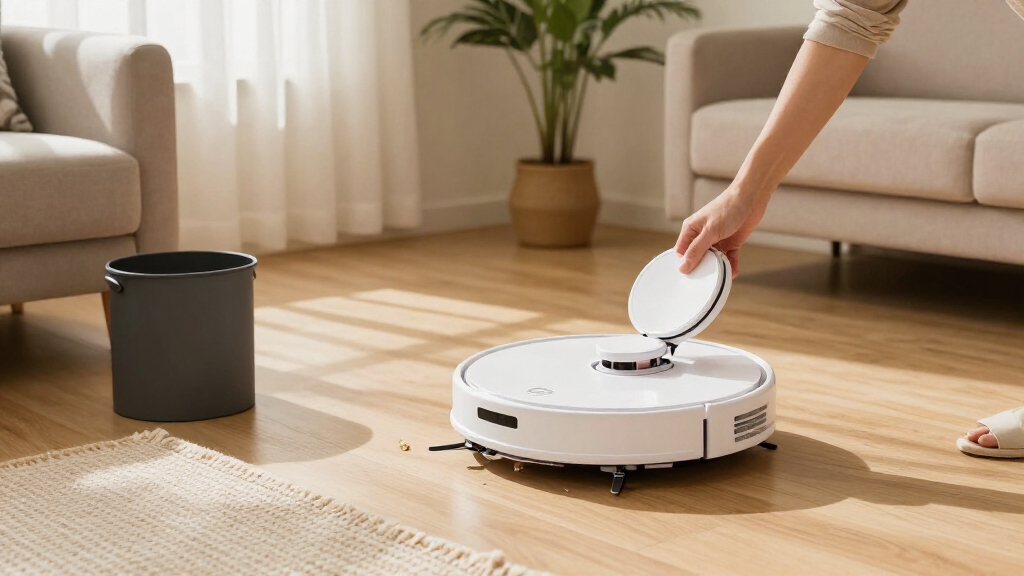
Self-emptying describes dust transfer from the robot into its base; it does not, by itself, mean the base washes or dries mop pads. Multifunction docks can reduce more hands-on work, but they add water handling and components that need their own cleaning. If most of your home is carpet or rugs, a vacuum-focused setup may be simpler and better aligned with your routine. For hard floors that need frequent mopping, broader dock care may justify the added complexity. A common mistake is choosing the most automated dock without checking whether its extra functions match your floors. Compare the included dock model, not just the robot’s product name.
Match the base to your available space and disposal preference
Measure the intended parking area before choosing a dock, including room to reach its tanks, cover, or bag compartment. A larger multifunction station can require more clearance than a basic auto-empty base, and a tight alcove may make routine service awkward. Also check whether dust is collected in a replaceable bag or a bagless container, since each creates a different cleanup routine. Bagged systems can make dust disposal more contained, while bagless designs avoid replacement bags but require you to empty and clean the receptacle. Consider how often you want to handle waste and whether anyone in the home is sensitive to dust. The robot’s footprint matters too, but the dock often determines where the system can realistically live.
Choose navigation around your floor plan, not just feature names
Navigation matters most when a robot must cover multiple rooms, avoid recurring obstacles, or return to unfinished areas. Open layouts may be forgiving, while cluttered rooms, narrow passages, and mixed flooring place greater demands on mapping and route control. Check whether the model supports room selection, scheduling, and no-go areas in a way you will actually use. Do not assume that a mop function or a self-empty base guarantees careful obstacle handling. Before buying, consider whether the robot can reach the spaces you expect it to clean and whether its controls let you exclude problem zones. A simple routine that fits your layout can be more useful than a long list of rarely used settings.
Plan for hair, rugs, and mixed flooring
Households with pets or long hair should look beyond the presence of an anti-hair-wrap label and think about brush cleaning, filters, and how often hair may collect around moving parts. Rugs add another question: decide whether you want the robot to vacuum them while mopping nearby hard floors, and check the model’s supported mop and carpet settings. A combo robot can reduce the number of machines, yet it may require more attention when moving between floor types. If your home is mostly carpet, a mop system can add cost and maintenance without much benefit. If hard flooring dominates, the mop may be worthwhile, but only if you are prepared to maintain its pads and water system. Match the robot to the mess you regularly face rather than an occasional worst-case scenario.
Think through routine maintenance and consumables
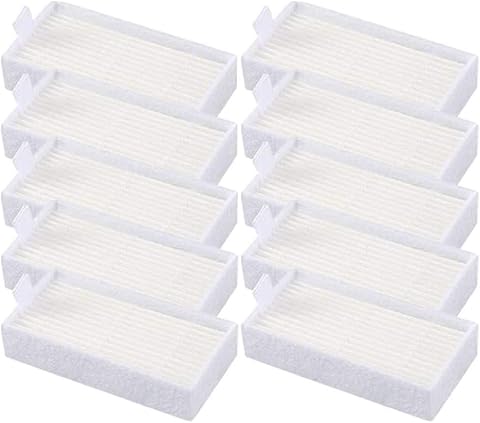
Auto-emptying lowers how often you empty the robot itself; it does not remove all upkeep. Brushes, filters, sensors, mop pads, tanks, and dock components may still need attention, and a more elaborate station can create more maintenance steps. Check which parts are washable, which need replacement, and whether the product listing clearly identifies what comes in the box. If you prefer a low-effort routine, a simpler vacuum-and-dock pairing can beat a feature-rich mop system that you rarely service properly. Consider where you will store supplies and how comfortable you are handling collected dust or dirty water. Convenience is a whole ownership routine, not a single emptying feature.
Pay for automation you will use, not automation you may ignore
Extra dock functions make the most sense when they replace chores you currently perform often, such as frequent mop-pad care in a home with extensive hard flooring. If you mainly want fewer trips to the trash, prioritize reliable dust handling and practical controls over a larger list of cleaning modes. Before stepping up to a more involved system, ask which tasks it removes and which new tasks it adds. A premium feature set can be poor value when the home is small, the floors are mostly carpet, or the robot will run only occasionally. Conversely, a busy household may benefit from a dock that handles several parts of routine floor care. Choose based on weekly habits, not the assumption that the most capable station is always the best fit.
Frequently Asked Questions
Does a self-emptying base mean I never have to empty the robot?
No. The base transfers collected debris out of the robot’s dustbin, which can reduce how often you empty that small bin, but the base itself still needs attention. Depending on its design, you may need to replace a dust bag or empty a collection container. Filters and brush areas can also collect debris that the dock does not remove. If the robot also mops, its pads and water system may need separate care. Check the exact dock design and maintenance instructions before treating the system as hands-off.
Should I choose a combo vacuum-and-mop model if most of my home has carpet?
Not automatically. A mop can be useful for a few hard-floor areas, but it may add upkeep and dock complexity that a carpet-heavy home will seldom use. Start by considering how much hard flooring you clean regularly and whether you want to maintain pads and water components. A vacuum-focused model with a self-emptying base may better fit a home where dust, crumbs, and hair are the main concerns. If you do choose a combo, check how its mop functions work around rugs and whether you can set cleaning zones. The right choice depends on your actual floor mix, not the fact that a model includes both functions.
Is a bagless self-emptying base easier to own than a bagged one?
It depends on which chore you prefer. A bagless container avoids replacement bags, but you need to remove and empty it yourself, which can release dust if handled carelessly. A bagged base keeps collected debris contained during disposal, but you will need compatible replacement bags. Check the base’s capacity and how accessible its collection area is, since a difficult-to-reach dock can make either format inconvenient. Households sensitive to dust may prefer contained disposal, while shoppers who want to avoid consumables may favor a bagless setup. Compare the ongoing routine rather than assuming one design is universally simpler.
How much space should I leave for a multifunction dock?
Plan for more than the dock’s listed footprint. You may need room to open a lid, remove a dust container, lift out tanks, or access the robot without moving nearby furniture. A multifunction station can be less forgiving in a narrow hallway or under a low shelf than a simpler base. Measure the proposed location and check the manufacturer’s clearance guidance before committing to it. Also think about whether the dock is near a power outlet and a place where water-related maintenance will be convenient. The best location is one you can access easily during routine care.
What should I verify before ordering a robot vacuum that is described as self-emptying?
Confirm that the exact version includes the self-emptying base, since product families can have bundles with different docks or accessories. Check whether the base is bagged or bagless and what replacement supplies or cleaning steps it calls for. For combo models, verify which mop functions the dock actually performs rather than assuming it washes or dries pads. Review the robot’s supported navigation controls, floor-type settings, and maintenance instructions for a match with your home. Finally, measure the dock location and confirm that the robot can reach the rooms you want cleaned. These checks help prevent a feature name from standing in for the setup you expected.
Conclusion
For the broadest mix of dock functions and floor-care flexibility, I’d start with the Roborock Qrevo S Pro as best overall; shoppers wanting an expanded vacuum-and-mop setup should also compare the DREAME L40s Ultra AE and ECOVACS DEEBOT T50S PRO Omni. My best value direction is the more focused Roborock Q7 M5+ for buyers who mainly want vacuuming with automatic dust collection, rather than a full-service mop station. For beginners, choose the model whose included base and controls are easiest to understand and whose maintenance matches your routine; the simpler Shark Navigator or Roomba 105 Combo formats may suit shoppers who want a more direct starting point. For pet hair or varied household mess, compare the Shark anti-hair-wrap and PowerDetect options against your brush-cleaning needs, while buyers focused on mop automation should give the multifunction-dock models priority. The right pick is the one that cuts the chores you actually do without adding a dock routine you will not maintain.