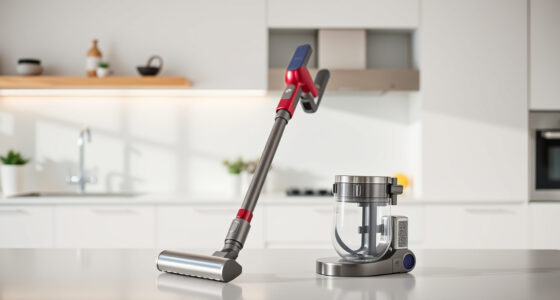
If your Dyson V15 Detect™ Origin cordless vacuum keeps pulsing on and off, it can be frustrating and impact your cleaning routine. This issue often indicates a problem with filters, battery, or blockages. Fortunately, most causes are straightforward to diagnose and fix with proper steps. In this guide, we’ll walk you through practical troubleshooting techniques to restore your vacuum’s optimal performance, ensuring it works smoothly again.

Get cleaning gear delivered free with Prime
- Fast, free delivery on millions of items
- Prime Video, Amazon Music and more included
- Member-only deals all year
Before you start, make sure to unplug the vacuum if applicable, and handle parts carefully to avoid damage. Always follow safety precautions when working with electrical appliances.
Key Takeaways
| Filter Maintenance | Clogged filters can cause pulsing; cleaning or replacing them helps. |
| Battery & Power Settings | Battery issues or incorrect power modes can lead to pulsing—check and reset if needed. |
| Blockages & Obstructions | Debris in the hose or cleaner head may cause power fluctuations—inspect and clear. |
| Sensor & Connection Checks | Loose connections or faulty sensors can trigger pulsing—ensure all parts are properly connected. |
Step 1: Inspect and Clean the Filters
- Remove the pre-filters from the vacuum according to the user manual instructions. The Dyson V15 Detect™ uses advanced filters that can become clogged over time.
- Rinse the filters thoroughly with cold water, ensuring you remove all dust and debris. Do not use soap or detergents.
- Allow the filters to air dry completely—this may take 24 hours—to prevent moisture from damaging the motor.
- Once dry, reinstall the filters securely. Regular cleaning every 2-3 months maintains optimal suction and prevents pulsing issues.
Step 2: Check the Battery and Power Settings
- Ensure the battery is fully charged; a low or faulty battery can cause power fluctuations. Plug in the charger and let it charge fully.
- Verify that you are using the correct power mode for your cleaning task. The LCD screen on the Dyson V15 Detect™ displays power mode and remaining run time—adjust if necessary.
- If the vacuum still pulses, try resetting the power trigger: turn off and remove the battery, wait 30 seconds, then reinsert and turn on.
Step 3: Clear Blockages and Obstructions
- Detach the cleaner head and wand, inspecting for debris or hair tangles that could cause blockages.
- Use the included crevice tool or a similar narrow attachment to check the hose and wand for obstructions.
- Remove any debris carefully, ensuring no parts are damaged or left inside.
- Reassemble the vacuum and test if the pulsing issue persists.
Step 4: Check Connections and Sensors
Loose connections or damaged sensors can trigger the vacuum to pulse as a safety feature. Ensure all parts, including the cleaner head, wand, and battery, are securely clicked into place. Inspect for visible damage or wear.
If the vacuum continues to pulse, resetting the device by turning it off, disconnecting the battery, and waiting a few minutes before reconnecting can help recalibrate sensors.
Step 5: Replace Worn or Faulty Components
If cleaning and checks don’t resolve the pulsing, it may be time to replace filters or other parts. Use high-quality replacements compatible with your model, such as the 3Pack Pre Filters or V10 Filters, to restore suction and performance.
Regular maintenance and timely replacement prevent recurring issues and extend your vacuum’s lifespan.