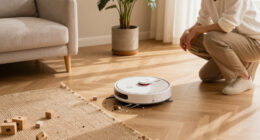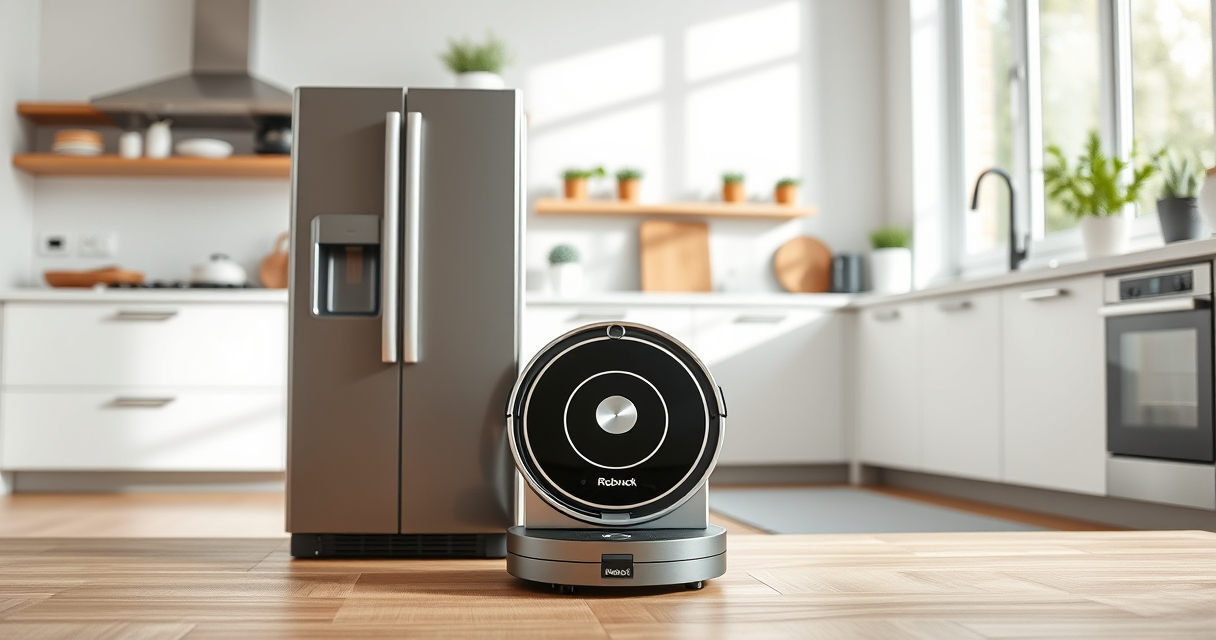
If your Roborock Q10 S5+ robot vacuum isn’t mopping as expected, it can be frustrating, especially when you rely on its sonic mopping system for spotless floors. Several factors can cause this issue, from simple user errors to technical glitches. Fortunately, most problems are easy to diagnose and fix with some basic troubleshooting steps.

Get cleaning gear delivered free with Prime
- Fast, free delivery on millions of items
- Prime Video, Amazon Music and more included
- Member-only deals all year
In this guide, we’ll walk through the common causes for a Roborock not mopping and provide clear, safe, step-by-step solutions. Whether your robot isn’t starting the mopping process, the mop isn’t wet, or it’s skipping the mopping entirely, you’ll find practical advice to get your device back to optimal performance.
Key Takeaways
| Check water level | Ensure the water tank is filled and properly installed. |
| Inspect mop pad | Verify the mop pad is clean, correctly attached, and not overly dirty. |
| Review settings | Make sure mopping mode is enabled in the app or on the device. |
| Examine water flow | Check that the water flow system isn’t blocked or clogged. |
| Update firmware | Keep your Roborock’s firmware up to date for optimal mopping. |
1. Verify Water Tank and Water Flow
- Open the water tank compartment on your Roborock Q10 S5+ and remove the water tank.
- Check if the tank is filled with clean water up to the indicated level. Refill if necessary.
- Inspect the water outlet and tubing for any blockages or kinks. Clean with a soft cloth or a small brush if needed.
- Ensure the water tank is securely reinstalled in the correct position.
Proper water flow is essential for effective mopping. If the system is clogged or the tank isn’t properly seated, the robot won’t dispense water during mopping.
2. Inspect and Clean the Mop Pad
- Remove the mop pad from the bottom of the robot.
- Check for dirt, hair, or debris that may block water absorption or contact with the floor.
- Wash the microfiber mop pad with water and mild detergent, then let it air dry completely.
- Reattach the clean mop pad, ensuring it’s secured properly in place.
A dirty or improperly installed mop pad can prevent effective mopping and may cause the robot to skip this step entirely.
3. Confirm Mopping Mode and Settings
- Open the Roborock app and navigate to your device’s control panel.
- Ensure that the mopping mode is enabled in the cleaning settings.
- Adjust the water flow level if options are available, choosing a higher setting for more thorough mopping.
- Start a cleaning cycle that includes mopping, and observe if the robot begins the mopping process.
Sometimes, the robot defaults to vacuum-only mode if settings are changed or if the user accidentally disables mopping. Double-checking your preferences ensures the robot performs both functions as intended.
4. Update Firmware and Perform a Reset
- Check for firmware updates via the Roborock app. Keeping your device updated can fix bugs affecting mopping performance.
- If an update is available, install it and restart the robot.
- If problems persist, perform a soft reset by turning off the robot, waiting 10 seconds, then turning it back on.
- For persistent issues, consider performing a factory reset following the manufacturer’s instructions, then reconfigure your cleaning settings.
Firmware updates often contain bug fixes that improve mopping functions, while resetting can resolve glitches that might be preventing mopping from starting.
5. Additional Tips and Safety Warnings
- Always use the recommended water and cleaning solutions to avoid damaging the mopping system.
- Regularly check and clean the water outlet and tubing to prevent blockages.
- Do not overfill the water tank, as excess water can leak or cause malfunction.
- Be cautious with cleaning products; use only mild detergents compatible with the microfiber mop pad.
- If your Roborock has obstacle avoidance features, ensure they’re not interfering with the mopping process by keeping the floor clear of obstacles.
Following these safety tips can extend the lifespan of your robot and ensure safe, effective mopping performance.
The Products in This Guide

roborock Q10 S5+ Robot Vacuum and Mop
- ✔ Weight: 8.4 kg
- ✔ Dimensions: 353 x 350 x 96 mm
- ✔ Charging Time: about 6 hours

4 Pack Washable Filter
- ✔ Weight: Approximately 50 grams per filter
- ✔ Dimensions: Standard HEPA size
- ✔ Washability: Multiple times
roborock Q10 S5+ Robot Vacuum and Mop
The Roborock Q10 S5+ is a powerful robot vacuum with 10,000 Pa suction and advanced sonic mopping. Its self-emptying station minimizes maintenance, making it ideal for busy households and pet owners. Regularly checking water flow and mop attachments helps prevent mopping issues.
Pros:
- Powerful 10,000 Pa suction
- Self-emptying bin for 70 days
- Advanced obstacle avoidance
- Sonic mopping system
Cons:
- Requires regular cleaning of water and mop system
- Higher price point
- Complex setup for some users
Best for: Pet owners and busy households seeking low-maintenance cleaning
Not ideal for: Users needing simple, manual vacuuming without mopping
Bottom line: Roborock Q10 S5+ offers powerful cleaning with intelligent mopping, but regular checks ensure flawless operation.
4 Pack Washable Filter
This 4-pack of washable HEPA filters is compatible with several Roborock models, including the Q7 and Q5 Pro+. It ensures your vacuum maintains optimal suction and filtration, which indirectly supports effective mopping by keeping the system clean.
Pros:
- Reusability reduces long-term costs
- Easy to install and clean
- Keeps filtration system effective
- Compatible with multiple models
Cons:
- Not OEM, but performs similarly
- Requires regular washing
- May need replacement after extended use
Best for: Pet owners and allergy sufferers needing consistent filtration
Not ideal for: Users seeking OEM parts or minimal maintenance
Bottom line: A cost-effective, eco-friendly choice to maintain your vacuum’s filtration system.
Frequently Asked Questions
Why is my Roborock not mopping even though it’s cleaning?
Common reasons include an empty or improperly installed water tank, a dirty mop pad, or settings that don’t include mopping. Verify each to troubleshoot effectively.
How often should I clean the water outlet and tubing?
It’s recommended to check and clean the water outlet and tubing every 1-2 weeks, especially if you notice inconsistent water flow or no water during mopping.
Can I use regular tap water in the water tank?
Yes, using clean tap water is generally fine. Avoid harsh chemicals or cleaning solutions unless specified by Roborock, as they may damage the system.
My robot skips mopping on some areas. What should I do?
Ensure the mop pad is properly attached, the water tank is full, and the settings include mopping. Obstacles or uneven floors can also interfere—clear the floor beforehand.
How do I update my Roborock firmware?
Open the Roborock app, connect to your device, and check for firmware updates under device settings. Follow prompts to download and install the latest version.
Get Your Floors Sparkling Again with Simple Troubleshooting
By following these straightforward steps, you can often resolve issues that prevent your Roborock Q10 S5+ from mopping. Regular maintenance, such as cleaning the mop pad and checking water flow, will keep your device performing at its best. Remember to keep the firmware updated and review your settings periodically for optimal results.
If problems persist despite troubleshooting, contacting Roborock support or considering replacement parts like washable filters can help maintain your robot’s efficiency and prolong its lifespan.
Affiliate disclosure: As an Amazon Associate we earn from qualifying purchases. Prices and availability are accurate as of the time of publishing.
Fall Picks
fall essentials
As an affiliate, we earn on qualifying purchases.