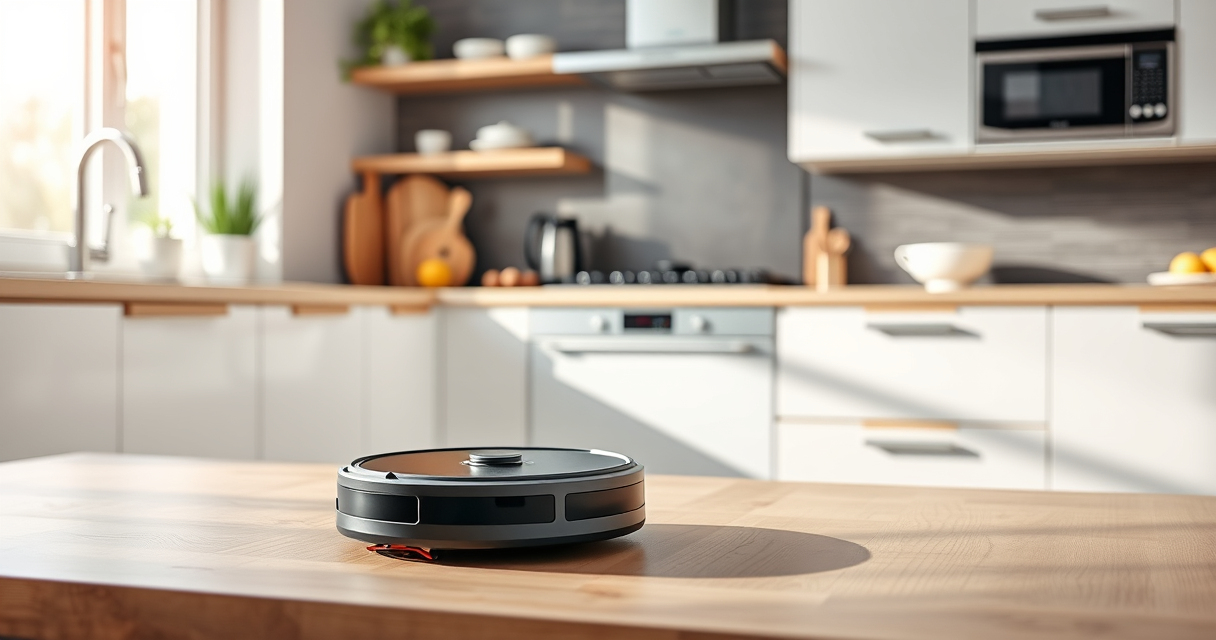
Getting your new Roborock Q7 M5+ ready for efficient cleaning is straightforward if you follow the right setup procedures. This guide walks you through each step, from unboxing to initial configuration, ensuring safe and optimal use of your robot vacuum and mop.
Proper setup not only enhances cleaning performance but also extends the lifespan of your device. Let’s get started with the essential steps to set up your Roborock Q7 M5+ correctly.
Key Takeaways
| Ease of setup | Simple step-by-step instructions for quick setup. |
| Compatibility | Works with app control and LiDAR navigation. |
| Maintenance tips | Includes cleaning, filter replacement, and troubleshooting. |

roborock Q7 M5+ Robot Vacuum and Mop, Up to 7-9 Weeks Self-Empty, 10000Pa
- Long-Lasting Cleaning: Up to 7-9 weeks with large dust bag
- Powerful Suction: 10000Pa for deep cleaning
- Tangle-Resistant Design: Anti-tangle brushes for pet hair
As an affiliate, we earn on qualifying purchases.
Unboxing and Initial Inspection
- Carefully unpack the Roborock Q7 M5+ from its box, and remove all packaging materials.
- Check that all accessories are included: charging dock, power cord, and mop pads if applicable.
- Inspect the device for any visible damage or missing parts before proceeding.
Charging Your Roborock Q7 M5+
- Place the charging dock against a wall in an open area, ensuring at least 1-2 feet of clearance on each side and in front.
- Connect the dock to a power outlet.
- Power on the dock and wait for the indicator light to turn solid, signaling readiness.
- Place the robot vacuum onto the dock, aligning the charging contacts, and let it charge for at least 3-4 hours before first use.
Download and Set Up the App
- Download the Roborock app compatible with your device (available on iOS and Android).
- Create an account or log in.
- Follow the app prompts to connect your Q7 M5+ to your Wi-Fi network, ensuring your phone is on a 2.4GHz network for best compatibility.
- Allow app permissions for notifications and location access for optimal performance.
Configure Basic Settings and Map Your Space
- Power on the robot and connect it via the app.
- Run the initial cleaning to allow the device to map your home with PreciSense LiDAR Navigation.
- Label rooms and set no-go zones if needed, for customized cleaning routines.
- Adjust suction power and mop settings through the app to suit different surfaces.
Maintenance and Troubleshooting Tips
- Regularly empty the self-emptying dust bag in the RockDock Plus, which can last up to 7-9 weeks before needing replacement.
- Replace or wash mop pads as recommended—using the washable microfiber pads for best results.
- Keep sensors and brushes clean for optimal navigation and suction.
- If connectivity issues arise, restart the device and ensure your Wi-Fi is stable.
The Products in This Guide

roborock Q7 M5+ Robot Vacuum and Mop
- ✔ Dust Capacity: 2.7L
- ✔ Max Run Time: Up to 9 weeks
- ✔ Wi-Fi: 2.4GHz compatible

4 Pack Washable Filter
- ✔ Reusable: Yes
- ✔ Washable: Yes
- ✔ Pack: 4
roborock Q7 M5+ Robot Vacuum and Mop
The Roborock Q7 M5+ offers powerful suction, a self-emptying dust bag, and advanced navigation, making it a top choice for thorough, hands-free cleaning. Its dual anti-tangle system is especially effective for pet hair and carpet cleaning.
Pros:
- Powerful 10000Pa suction
- Self-emptying with 2.7L dust bag
- Advanced LiDAR navigation
- App control for customized cleaning
Cons:
- Higher price point
- Requires Wi-Fi setup
- Mop pads sold separately
Best for: Pet owners and households needing deep, frequent cleaning
Not ideal for: Users seeking a purely manual, non-connected device
Bottom line: A high-performance robot vacuum with advanced features ideal for busy households.
4 Pack Washable Filter
Keep your Roborock Q7 M5+ performing at its best with these washable HEPA filters. They are compatible and easy to install, ensuring your home stays clean and allergen-free.
Pros:
- Effective filtration
- Reusable & washable
- Easy to install
- Cost-effective
Cons:
- Filter replacement needed every few months
- Not OEM but highly compatible
- Requires proper cleaning to maintain efficiency
Best for: Maintaining air quality and filtration
Not ideal for: Users preferring OEM filters only
Bottom line: Affordable, effective filters for ongoing air and floor cleanliness.
Frequently Asked Questions
How often should I empty the self-emptying dock?
The RockDock Plus can hold debris for up to 7-9 weeks, depending on usage. Check and empty it when full for optimal performance.
Can I use my own mop pads?
Yes, compatible microfiber mop pads are available, but ensure they fit your model and are compatible with the Q7 M5+.
Is Wi-Fi required to operate the device?
Wi-Fi is needed for app control, mapping, and customization. The device can operate manually without Wi-Fi once set up.
How do I troubleshoot connectivity issues?
Restart the robot and your Wi-Fi router, ensure your phone is on a 2.4GHz network, and re-follow the app setup instructions if needed.
Your Path to Effortless Cleaning Begins Here
Following these setup steps ensures your Roborock Q7 M5+ is ready to tackle daily dirt, pet hair, and messes with minimal effort. Regular maintenance and app customization will maximize its lifespan and cleaning efficiency. Enjoy a cleaner, more comfortable home with your new robotic helper!
Affiliate disclosure: As an Amazon Associate we earn from qualifying purchases. Prices and availability are accurate as of the time of publishing.